


Generating Native 4K Images with GPT Image 2: Aspect Ratio and Upscaling Workflows
Target Model:
gpt-image-2
Inference Endpoint:https://api.toapis.com/v1/images/generations
Related: GPT Image 2 API guide · Inpainting and outpainting · Global mirror and proxy · API size reference
1. TL;DR & Performance Overview
- Job: Produce a print- or hero-ready image at the documented 4K tier, with the aspect ratio you actually need, from a single
gpt-image-2request. - Contract:
POST /v1/images/generationswith model IDgpt-image-2.sizeis an aspect ratio (1:1,16:9, and the other documented ratios).resolutionis1k,2k, or4k. The official reference publishes the resulting pixel dimensions for each pair. - What not to send:
size: "2048x2048", aquality: "hd"flag on exactgpt-image-2, or an inventedupscale: truefield that claims to turn a 2048 px render into3840x2160. 4K is a first-classresolutionvalue. - Async protocol: The submit call returns a task
id. PollGET /v1/images/generations/{id}(orGET /v1/tasks/{id}) untilcompletedorfailed. 4K jobs can take longer than 1K drafts; a client timeout is not proof the task failed. - FinOps: Draft at
1k, promote accepted prompts to4k, and confirm the live per-tier rate. Do not copy older 1024 px / 2048 px price rows into a forecast.
2. Aspect Ratios, Resolution Tiers, and Native 4K Output
The current gpt-image-2 contract splits shape from tier. size chooses the aspect ratio; resolution chooses the quality tier; the service derives the pixel width and height from both. That is why a "4K image" is not always 3840x2160 — that size is the documented result of size: "16:9" plus resolution: "4k". A square 4K output is documented as 2880x2880.
Preset ratios listed in the official reference are:
1:1, 3:2, 2:3, 4:3, 3:4, 5:4, 4:5, 16:9, 9:16, 2:1, 1:2, 21:9, 9:21
You can pass auto and let the upstream provider choose, but then the final ratio and pixel size are not guaranteed. Exact gpt-image-2 does not document a custom pixel-size field; custom width:height ratios (for example 7:4) are documented on gpt-image-2-vip and gpt-image-2-official, subject to their own limits (sides multiples of 16, long edge at most 3,840 px, ratio at most 3:1, total pixels between 655,360 and 8,294,400).
The API reference size table for exact gpt-image-2 is:
| size | 1k | 2k | 4k |
|---|---|---|---|
1:1 | 1024x1024 | 2048x2048 | 2880x2880 |
3:2 | 1536x1024 | 2048x1360 | 3520x2336 |
2:3 | 1024x1536 | 1360x2048 | 2336x3520 |
4:3 | 1024x768 | 2048x1536 | 3312x2480 |
3:4 | 768x1024 | 1536x2048 | 2480x3312 |
5:4 | 1280x1024 | 2560x2048 | 3216x2576 |
4:5 | 1024x1280 | 2048x2560 | 2576x3216 |
16:9 | 1536x864 | 2048x1152 | 3840x2160 |
9:16 | 864x1536 | 1152x2048 | 2160x3840 |
2:1 | 2048x1024 | 2688x1344 | 3840x1920 |
1:2 | 1024x2048 | 1344x2688 | 1920x3840 |
21:9 | 2016x864 | 2688x1152 | 3840x1648 |
9:21 | 864x2016 | 1152x2688 | 1648x3840 |
Two caveats belong next to that table:
- The current ToAPIs playground keeps
3:2and2:3at 4K, but it omits5:4and4:5when the resolution is 4K. The size table above still lists 4k pixels for those two ratios. If your product needs5:4or4:5at 4k, confirm with a live request rather than assuming the playground gate is the API limit. - Lowercase (
4k) and uppercase (4K) appear in different surfaces. Officialgpt-image-2examples use lowercase; the playground config uses1K/2K/4K. Follow the API reference in clients, and do not treat casing as a second parameter.
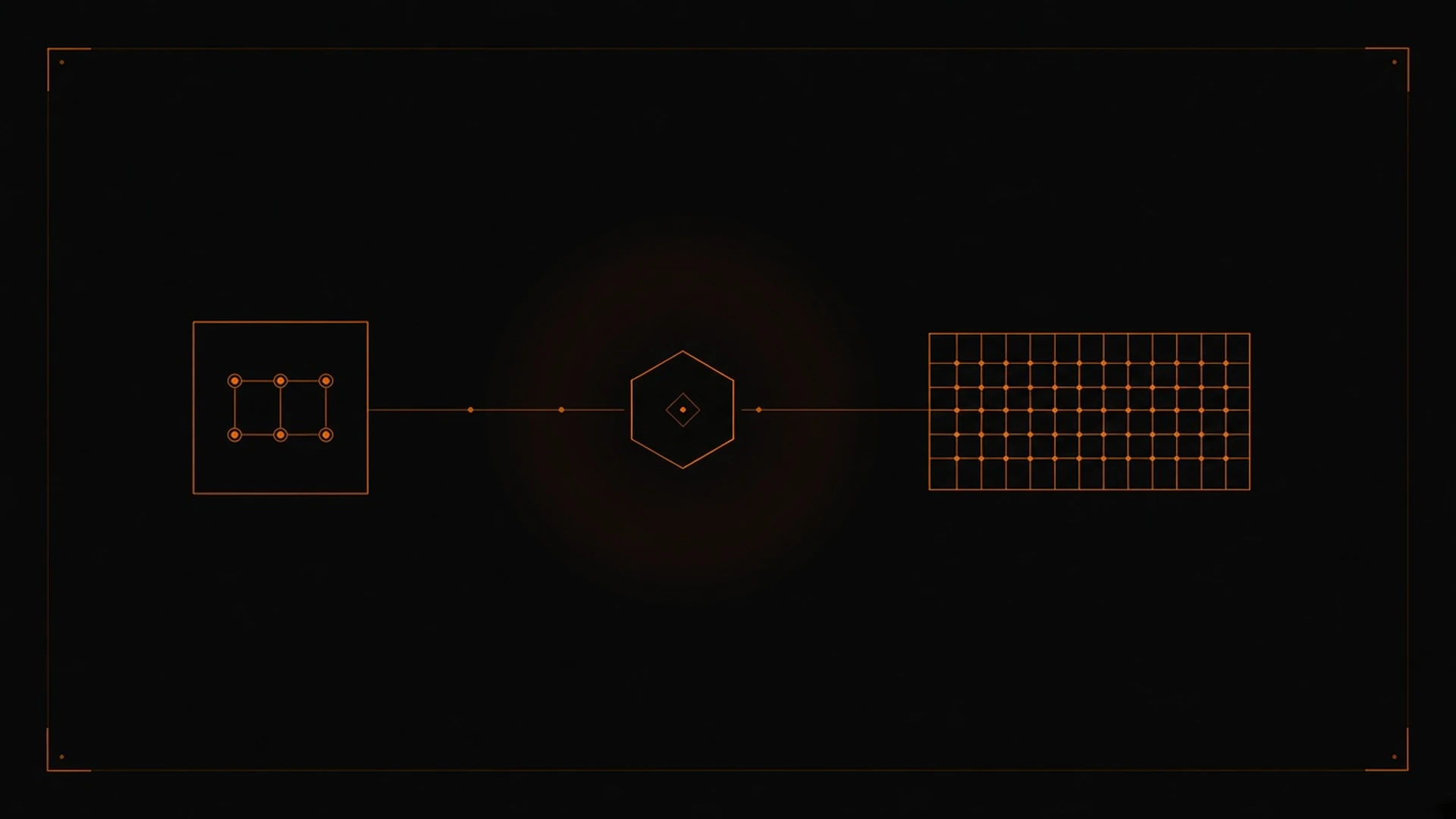
Figure 1: Resolution is a first-class request field. The documented path is to ask for 4k directly, not to invent a post-processing upscaler flag.
There is no documented ToAPIs upscale: true switch that takes a native 2048 px render and returns 3840x2160. If you already have a 1K or 2K image and want a larger one, the supported move is a new generation (optionally with the draft in reference_images) at resolution: "4k". Do not promise typography fidelity, "300 DPI print masters," or artifact-free upscaling unless you have measured those properties on your own assets.
Exact gpt-image-2 also accepts optional background: "transparent" and up to 14 reference_images URLs. It does not expose quality in the current playground contract; quality is a field on IDs such as gpt-image-2-vip.
3. Production Implementation: cURL & Python
International examples in this series use https://api.toapis.com. Official docs tell mainland China users to use https://toapis.cn. Keep one origin per environment.
Step 1: cURL dispatch at native 4K
curl -X POST "https://api.toapis.com/v1/images/generations" \
  -H "Authorization: Bearer $TOAPIS_API_KEY" \
  -H "Content-Type: application/json" \
  -d '{
    "model": "gpt-image-2",
    "prompt": "Wide architectural photograph of a concrete pavilion at dusk, still water in the foreground, no typography, no logos",
    "size": "16:9",
    "resolution": "4k",
    "n": 1,
    "response_format": "url"
  }'
This request is documented to target 3840x2160. For a square 4K master, change size to 1:1 (documented as 2880x2880). For a 9:16 story frame, use size: "9:16" (documented as 2160x3840).
Step 2: Python draft-then-promote helper
Iterate at 1k, persist the accepted prompt (and optional reference URLs), then resubmit at 4k. The poll helper is the same async contract used in the mirror and proxy guide.
import os
import time
import requests

API_KEY = os.environ["TOAPIS_API_KEY"]
BASE = "https://api.toapis.com"
ENDPOINT = f"{BASE}/v1/images/generations"
HEADERS = {
    "Authorization": f"Bearer {API_KEY}",
    "Content-Type": "application/json",
}


def dispatch_image(
    prompt: str,
    size: str = "16:9",
    resolution: str = "1k",
    model: str = "gpt-image-2",
    reference_images: list[str] | None = None,
) -> str:
    payload = {
        "model": model,
        "prompt": prompt,
        "size": size,
        "resolution": resolution,
        "n": 1,
        "response_format": "url",
    }
    if reference_images:
        payload["reference_images"] = reference_images
    res = requests.post(ENDPOINT, headers=HEADERS, json=payload, timeout=30)
    res.raise_for_status()
    data = res.json()
    task_id = data.get("id") or data.get("task_id")
    if not task_id:
        raise RuntimeError(f"Unexpected submission envelope: {data}")
    return task_id


def poll_image_task(task_id: str, deadline_s: int = 300) -> str:
    poll_url = f"{BASE}/v1/images/generations/{task_id}"
    interval = 2.0
    start = time.time()
    while time.time() - start < deadline_s:
        time.sleep(interval)
        poll = requests.get(poll_url, headers=HEADERS, timeout=15)
        if poll.status_code == 429:
            retry_after = poll.headers.get("Retry-After")
            time.sleep(float(retry_after) if retry_after else min(interval * 2, 20))
            continue
        poll.raise_for_status()
        data = poll.json()
        status = data.get("status")
        if status == "completed":
            return data["result"]["data"][0]["url"]
        if status == "failed":
            raise RuntimeError(f"Generation failed: {data.get('error')}")
        interval = min(interval * 1.5, 8.0)
    raise TimeoutError(
        f"Task {task_id} exceeded {deadline_s}s; check status before retrying"
    )


if __name__ == "__main__":
    prompt = (
        "Wide architectural photograph of a concrete pavilion at dusk, "
        "still water in the foreground, no typography, no logos"
    )
    draft_id = dispatch_image(prompt, size="16:9", resolution="1k")
    print("Draft:", draft_id, poll_image_task(draft_id))
    final_id = dispatch_image(prompt, size="16:9", resolution="4k")
    print("4K:", final_id, poll_image_task(final_id, deadline_s=300))
Give 4K polls a longer deadline than 1K drafts. Persist the task id immediately so a client timeout can still be resolved by a later status check. If you later switch the client to gpt-image-2-vip (custom ratios, quality) or gpt-image-2-official, change one variable at a time and reread that ID's reference — billing units are not automatically the same.
4. Error Handling & Status Matrix
The categories below are diagnostic starting points, not a guarantee of exact ToAPIs error codes. A successful HTTP submit still requires you to read task status.
| HTTP status | Common category | Recommended action |
|---|---|---|
400 | Invalid field or unsupported combination | Check that size is a documented ratio, that resolution is 1k / 2k / 4k, and that you did not send a pixel string such as 2048x2048 or an undocumented upscale flag |
401 | Missing or invalid API key | Rotate the key in the ToAPIs dashboard and confirm the Authorization header |
429 | Rate or concurrency limit | Honor Retry-After when present; back off with jitter; retry only when safe |
5xx or network timeout | Temporary gateway or upstream issue | Check task status before resubmitting; 4K jobs may still be in_progress after a client timeout |
5. Pricing & FinOps ROI
- Do not reuse older unit prices such as
$0.024for 1024 px or$0.072for 2048 px. Those rows belong to a stale size contract. - The GPT Image 2 model guide currently shows a ToAPIs landing comparison of
$0.015/$0.020/$0.025per image at1K/2K/4Kfor standardgpt-image-2. Use that only as a listed comparison. Confirm the rate that applies to your account and to the exact model ID you call. - A cheap loop is draft at
1k, then promote the accepted prompt (and references) to4k. Two successful jobs are two billable images unless your account terms say otherwise. There is no documented free "upscale the same prompt" shortcut. - Official-vendor token prices and ToAPIs per-request prices are not interchangeable. If you move to
gpt-image-2-vipor an official-channel SKU, reread that ID's price sheet. - For background, see the GPT Image 2 pricing article, then verify every number against the live catalog before you put it in a forecast.
6. Frequently Asked Questions
See the FAQ block in frontmatter. Summary: 4K is a first-class resolution value, not an upscale flag; pixel dimensions depend on both size and resolution; do not send 1024x1024 as size; confirm 5:4 / 4:5 at 4k against the live API if you need those ratios; confirm the listed 1K / 2K / 4K rates in your account.
7. Action Checklist
- Create a key on the ToAPIs Developer Portal.
- Set one base URL per environment (
https://api.toapis.comor, where required,https://toapis.cn) and smoke-test the cURL snippet atsize: "16:9"andresolution: "1k". - Promote the same prompt to
resolution: "4k"and confirm the documented pixel size for that ratio (for16:9,3840x2160). - Persist the task
id, give 4K polls a longer deadline, and honorRetry-Afteron429. - Next: the inpainting and outpainting guide if you are editing an existing frame, and the API guide for the broader parameter map.