
Do not put a guessed Seedream 5.5 API model ID into production. Before an image generation integration is useful, you need a documented request, an accessible account, a billing rule and a response you can actually retrieve. A blog headline supplies none of these. This guide turns the current evidence gap into an engineering checklist rather than filling it with invented specifications.
Source review date: November 3, 2026. We reviewed the competitor articles and official product pages linked below. We did not run authenticated 5.5 inference, measure its output quality or obtain a confirmed quotation. The scripts in this article run locally without credentials; they prepare an evaluation and demonstrate its arithmetic, not a live model call.

User-provided generated image combining portrait, product and graphic composition. An illustration for this guide, not a verified Seedream 5.5 benchmark.
1. Seedream 5.5 API availability: what the sources establish
The immediate problem is conflicting descriptions. WaveSpeed's article, “Seedream 5.5: What to Expect, and How to Get Ready”, is dated October 29, 2026. It explicitly calls itself an outlook rather than a launch announcement and says the specifications, pricing and model names are unconfirmed in that article. That is useful context, but it is not an authoritative statement about every provider's current inventory.
PicassoIA's “How to Use Seedream 5.5 for Image Creation” takes a different approach. It discusses prompts, lighting, realistic portraits and creative workflows under a 5.5 heading. Its navigation includes a link to Seedream 5 Pro. A reader should not treat a link to another named version as proof of a Seedream 5.5 API deployment. Nor does a creative tutorial establish the request schema an application needs.
The official ByteDance Seed pages we could verify describe Seedream 5.0 Pro and Seedream 5.0 Lite. Pro's page describes reasoning and content creation, including text-rich visual examples. Lite's page describes multimodal generation and reasoning capabilities. Those descriptions belong to those named versions; they cannot automatically be reassigned to 5.5.
| Question | Evidence obtained in this review | Engineering consequence |
|---|---|---|
| Official 5.5 release date | Not verified | Do not announce a date from speculation |
| Exact 5.5 model ID and endpoint | Not verified | Keep the production adapter disabled |
| Supported sizes, reference inputs and editing fields | Not verified for 5.5 | Do not inherit a previous version's limits |
| Current 5.5 price or discount | Not verified | Request the billing unit and failure policy |
| Official 5.0 product descriptions | Verified on the linked pages | Use only as version-specific background |
This is a bounded source review, not proof of nonexistence. A private preview, a regional product or a subsequent release could change the picture. Record the source URL, access date and provider name whenever you update this table. A concrete successful request is stronger evidence than a repeated claim, but even a successful request needs a documented billing and support contract before a production rollout.
2. Start with an offline evaluation pack
The useful work today is to define what your application must accept. A product-photo workflow and a multilingual advertisement workflow have different failure modes. Build a small fixed suite before choosing a provider, and preserve every prompt revision. The following Python 3 script creates a local JSONL file. It does not contact ToAPIs, ByteDance or any other service, and it makes no claim that Seedream 5.5 supports the described tasks.
import json
from pathlib import Path

cases = [
    {
        "id": "product-01",
        "task": "generation",
        "prompt": (
            "A matte blue ceramic cup on a warm gray tabletop, "
            "soft light from camera left, front view, no text."
        ),
        "checks": ["one cup", "blue material", "left-side light"],
    },
    {
        "id": "text-01",
        "task": "generation",
        "prompt": (
            "A minimal poster with the exact headline OPEN STUDIO "
            "and the exact Chinese subtitle 周末开放. No other words."
        ),
        "checks": ["exact English text", "exact Chinese text", "no extra text"],
    },
    {
        "id": "edit-01",
        "task": "editing_candidate",
        "prompt": "Change only the background to pale green; preserve the product.",
        "requires_reference": True,
        "checks": ["background changed", "product shape preserved"],
    },
]

output = Path("seedream-readiness-cases.jsonl")
with output.open("w", encoding="utf-8") as handle:
    for case in cases:
        handle.write(json.dumps(case, ensure_ascii=False) + "\n")
print(f"Wrote {len(cases)} evaluation cases to {output}")
Run it in a new working directory and inspect the three records before extending the set. The editing candidate intentionally contains no invented image-upload field. Once a provider publishes its contract, map this record into that contract and supply a licensed reference image. Unsupported tasks should be marked unsupported, not silently converted into unrelated generation requests.
For a useful pilot, add cases from your actual workload: reflective packaging, small multilingual labels, a portrait with a difficult hand pose, and a product that must retain its identity through an edit. Use consented, licensed assets, not customer uploads copied into a public test repository. The local case file should describe expectations without containing personal data or credentials.
3. Prompts, reference images and acceptance criteria
A Seedream 5.5 prompt guide should distinguish a testing method from an established model capability. Start with subject, composition, material, lighting and required text. Change one variable at a time. “Make it better” is difficult to evaluate; “retain the bottle silhouette and change only the background” creates an observable constraint. Treat the latter as a test requirement until you have output evidence.

Product-image review sample: inspect the cup rim, handle, ceramic texture and contact shadow.
For photorealistic portraits, write down the focal subject, framing and light direction. Inspect skin texture, fingers, accessories and background continuity independently. A convincing face does not prove accurate anatomy or reliable instruction following. Do not label an image “photorealistic” solely because it looks sharp at thumbnail size. Review the delivered asset at its intended display size and check for unwanted text or invented branding.
Text rendering needs a literal reference string. Keep capitalization, punctuation and line breaks in the test case. Use OCR as an initial screen, then have a reviewer inspect every required character in a language they understand. A poster can be visually attractive while failing a single product code. Track exact-match text separately from aesthetic preference so a good-looking result cannot conceal a functional failure.
Reference images introduce another category of uncertainty. Ask whether the service accepts URLs, uploaded assets or inline data, how many references it supports, and what limits apply. Do not assume it accepts all three. For editing, compare the unchanged areas as carefully as the changed area. Confirm retention, deletion and access policies before transmitting confidential product designs or identifiable people.

Background-change review sample: compared with the previous cup, the shape, glaze, scale and viewpoint also differ. These images are not a verified input/output edit pair and do not demonstrate background-only editing.
| Workload | Acceptance check | Common misleading shortcut |
|---|---|---|
| Product image | Shape, material and color remain correct | Approving only the background |
| Advertisement | Exact text and safe placement | Counting approximate text as correct |
| Portrait | Anatomy, lighting and identity constraints | Judging only a cropped face |
| Reference edit | Requested change plus preserved regions | Comparing unrelated generations |
| Batch assets | Consistency across all requested outputs | Selecting one attractive sample |
Aspect ratio and resolution are separate checks. A request for a wide composition does not prove an exact pixel dimension is supported. Record both the requested and returned dimensions, and check downstream crops. Never promise native 4K, a particular reference limit or a CFG range for Seedream 5.5 until a version-specific source and a successful request support that claim.
4. Seedream 5.5 API integration: verify the contract first
A gateway and an official provider may expose different identifiers, authentication requirements and response objects for the same underlying family. “OpenAI-compatible” is not a complete specification. Establish which endpoint is compatible, which fields are implemented and how generated images are returned. Keep the provider's exact model identifier in configuration; do not derive it by replacing 5.0 with 5.5.
Before enabling a Seedream 5.5 API adapter, obtain a minimal request and response example from the selected provider. Confirm the base URL, authentication mechanism, region, model access and version policy. Then verify output delivery: an immediate image URL, inline bytes and a task identifier require different client behavior. Do not write an imaginary polling endpoint just because another image model uses asynchronous tasks.
If the documented API is asynchronous, represent its documented states explicitly and set an overall deadline. Poll at the interval the provider recommends and respect rate-limit responses. If the API is synchronous, configure transport timeouts and cancellation instead. A fixed three-second poll is not a universal default, and a browser timeout does not establish that server-side generation failed.
Retry behavior is a billing decision as well as an availability decision. Never blindly replay a paid creation request after an ambiguous network failure. First check whether the API documents idempotency or status lookup. For a documented 429 response, respect Retry-After when provided and use bounded backoff with jitter. Do not retry invalid inputs or authorization failures until their cause is corrected.
Store only the operational data you need: provider request ID, model version, timestamps, requested dimensions, actual dimensions, status, charge and reviewer outcome. Redact authorization headers and avoid logging signed output URLs or sensitive prompts. If an output URL expires, ingest the permitted asset into your controlled storage rather than assuming the provider hosts it indefinitely. Validate content type, size and download destination before fetching remote assets.
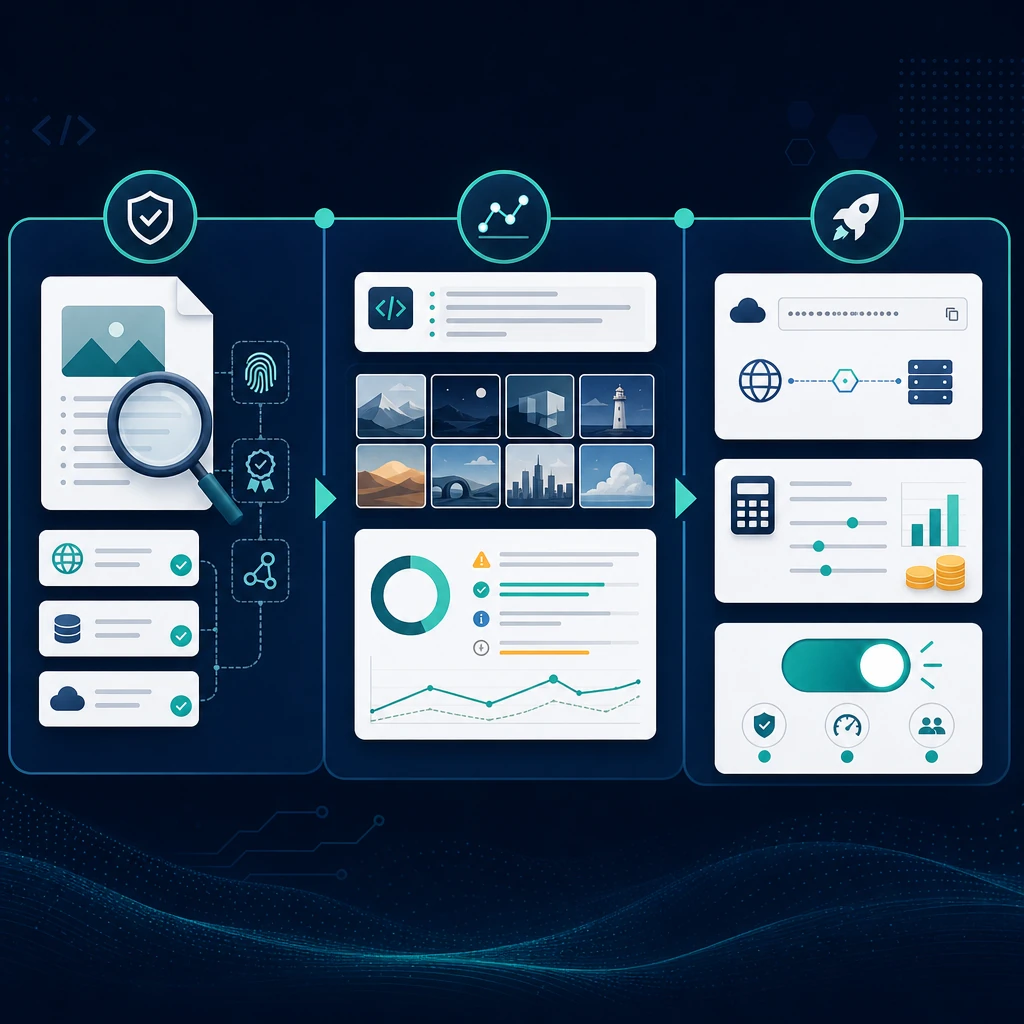
User-provided workflow illustration connecting evidence checks, image evaluation and deployment decisions. The depicted charts are illustrative, not measured results.
Keep a fallback model explicit. If a preferred service is unavailable, tell the user when a different model will run and ask for approval where the product requires it. Silent substitution invalidates a model comparison and can change output rights, price or data handling. A fallback must pass its own acceptance tests; sharing an image-generation label does not make it interchangeable.
5. Seedream 5.5 pricing: measure usable output
No verified Seedream 5.5 pricing was obtained for this article. A responsible cost analysis therefore starts with a formula, not a fabricated price ladder. Ask whether charging is per request, per returned image, per resolution tier or per compute unit. Confirm billing for failed tasks, partial batches, cancellations and automatic retries, and record currency and tax assumptions.
For a fixed pilot, use: cost per usable image = total billed pilot cost / number of accepted images. Separately track storage, transfer and review labor if they matter to your use case. Those costs do not disappear when a model's nominal request price is low. For a multi-image response, count actual billable outputs and accepted outputs, not simply the number of HTTP requests.
The table below is an invented teaching example with generic candidates. It is not an official price, a ToAPIs offer or a measurement of any Seedream version. Assume 100 billable images per candidate and exclude tax, storage and labor so the arithmetic is visible.
| Hypothetical candidate | Price per billed image | Billed images | Accepted images | Total | Cost per accepted image |
|---|---|---|---|---|---|
| A | $0.040 | 100 | 80 | $4.00 | $0.0500 |
| B | $0.030 | 100 | 50 | $3.00 | $0.0600 |
Candidate B has a lower nominal price but a higher cost per accepted result in this example. The script below reproduces those numbers without network access. Replace the inputs only with your measured charges and review counts; do not present the defaults as market evidence.
from decimal import Decimal

examples = [("A", "0.040", 100, 80), ("B", "0.030", 100, 50)]
for name, unit_price, billed_images, accepted_images in examples:
    if not 0 < accepted_images <= billed_images:
        raise ValueError("Accepted images must be positive and not exceed billed images")
    total = Decimal(unit_price) * billed_images
    usable_cost = total / accepted_images
    print(f"{name}: total=${total:.2f}, per accepted image=${usable_cost:.4f}")
For latency, measure submission to usable asset retrieval, not only response headers. Report sample count, region, concurrency, dimensions and p50/p95 together. A fast rejected image is not a successful user journey. Run comparisons on the same prompt suite and acceptance rubric, and distinguish transport errors, safety refusals and quality failures rather than collapsing them into one unexplained success rate.
6. Rollout checklist and the ToAPIs workflow
Treat Seedream 5.5 availability as a deployment gate rather than a marketing assumption. A sensible initial rollout is internal evaluation, then a small permitted pilot, then broader access after quality, cost and operational checks pass. Set a spending cap, a concurrency limit and an owner who can disable the adapter. Preserve the baseline configuration so a later update can be evaluated against the same requirements.
Before changing production traffic, confirm all of the following:
- The selected provider documents the exact model and your account can access it.
- The minimal request succeeds and the returned asset can be retrieved safely.
- Generation and editing are tested independently where each is supported.
- Billing, retry handling, output retention and commercial-use terms are recorded.
- Quality checks pass on representative prompts rather than a curated demo alone.
- Monitoring, spending limits and rollback behavior have been exercised.
To prepare your workspace, browse the ToAPIs model catalog, inspect current pricing, and use the Playground only for models actually listed as available to your account. None of those links promises Seedream 5.5 access or free credits. For another image integration example, read the existing GPT Image 2 API guide and verify its current contract separately.
7. Technical FAQ
Is the Seedream 5.5 API already available on ToAPIs?
This article does not establish that. Verify the current catalog, model documentation and account access before integrating. A blog entry, a planned landing page or a version-family mention is not evidence that requests can be served. If your provider offers a private preview, record its restrictions and avoid describing preview behavior as a generally available contract.
What are the release date and confirmed price?
The reviewed sources did not establish a verified 5.5 release date or quote. WaveSpeed explicitly framed its article as an outlook. The cost examples here are hypothetical. Recheck version-specific documentation when it is published, and update the article with the source and review date rather than changing a tentative statement into an unsupported certainty.
Can existing Seedream 5.0 prompts and parameters be reused?
Prompts can become candidate tests, but parameters need explicit support from the target provider. Revalidate model names, dimensions, reference-image inputs, safety behavior and response delivery. Do not assume a seed, guidance value or editing field remains available. Preserve a known baseline and compare outputs under the same review rubric before switching traffic.
Are the illustrations or calculations model benchmarks?
The images are user-provided visual examples, not a controlled benchmark. Their exact generating model and input/output lineage have not been verified. The cost figures remain hypothetical. No authenticated Seedream 5.5 API evaluation was performed by the article team.
Sources and update policy
- WaveSpeed: Seedream 5.5 outlook — competitor expectations, explicitly not a launch announcement.
- PicassoIA: Seedream 5.5 creative tutorial — competitor workflow themes, not a verified API specification.
- ByteDance Seed: Seedream 5.0 Pro — official, version-specific product context.
- ByteDance Seed: Seedream 5.0 Lite — official, version-specific product context.
When an official Seedream 5.5 API contract can be verified, the next update should add its exact identifier, a tested minimal request, documented limits and observed billing. Until then, an honest readiness guide is more useful than a plausible-looking but unverified quickstart.