








What Seedance 2.5 Flash does and what is confirmed
Seedance 2.5 Flash is designed for quickly exploring video drafts. With prompts and reference materials, you can try different actions, compositions, and camera movements; its official creator page introduces 480P and 720P previews with synchronized audio. It is useful for testing ideas for product videos, animated posters, and storyboards before choosing a direction.
Before integrating, check the latest documentation for the API model identifier, pricing, and availability.
| Item | What the Flash page establishes | What still needs checking |
|---|---|---|
| Resolution | 480P and 720P previews | Exact API values and output dimensions |
| Model selection | Manually choose Seedance 2.5 Flash | API identifier and account access |
| References | Omni reference or First and last frames in the creator workflow | API input types, limits and field names |
| Generation settings | Choose ratio, resolution and duration | Allowed API values and duration ceiling |
| Audio | Generated video with synchronized audio | API controls, formats and track delivery |
| Speed and price | Qualitative preview positioning | Numerical latency and API billing |
A lower-resolution preview can expose an awkward camera move or a confused action without resolving every finishing detail. It cannot prove that fine packaging text will survive, that a face remains consistent in another shot, or that a later render will match exactly. Define which decisions a preview can settle before you judge it.
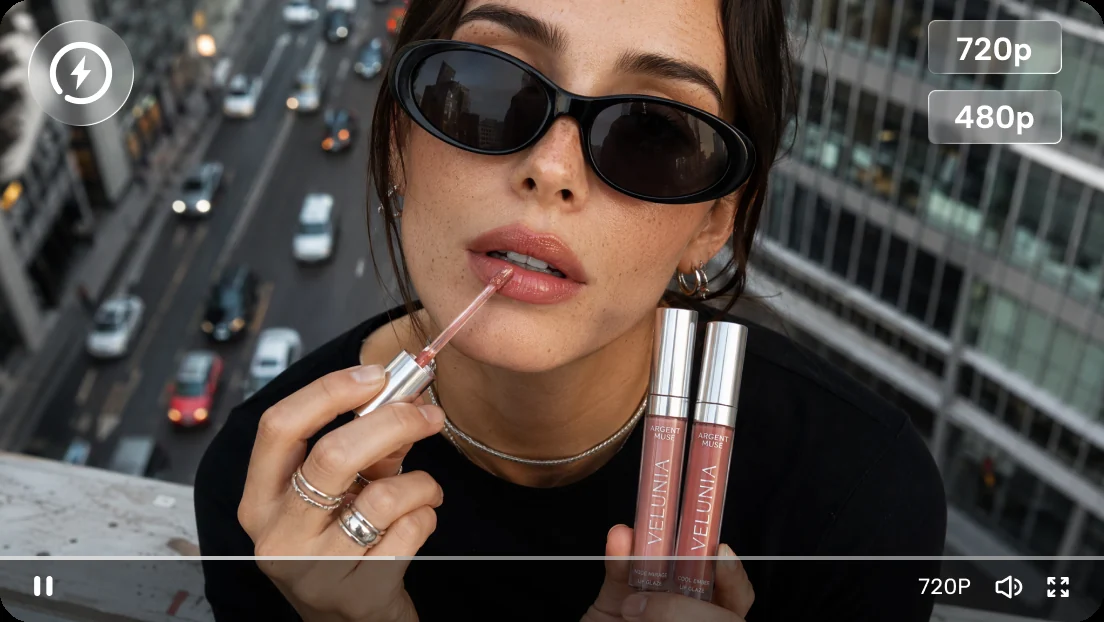
Official product-page illustration of Flash previews; this is not a ToAPIs generation or measured comparison.
Prepare a small evaluation pack before generating
Give every experiment a brief, a stable reference set and an acceptance rule. For a product shot, the rule might require an unchanged silhouette and a visible lid movement. For a poster, it might require a clear central subject and space for later typography. Keep these rules separate from visual taste: an attractive clip can still fail its assigned task.
This offline Python example creates three local review records using only the standard library. Run it with Python 3 in your working folder. It makes no network request and contains no API payload, endpoint or model identifier. The labels are your own evaluation categories; they do not claim provider support for particular parameters.
import json
from pathlib import Path

cases = [
    ("product", "Keep the product silhouette stable throughout."),
    ("poster", "Keep the center clear for a later title overlay."),
    ("storyboard", "Make the final look direction unambiguous."),
]
pack = {
    "purpose": "offline creative evaluation",
    "cases": [
        {
            "case": name,
            "acceptance_rule": rule,
            "prompt": "",
            "reference_files": [],
            "observed_settings": {},
            "result": "not_reviewed",
            "notes": "",
        }
        for name, rule in cases
    ],
}
output = Path("flash-evaluation-pack.json")
output.write_text(json.dumps(pack, indent=2) + "\n", encoding="utf-8")
print(output.resolve())
Paste a prompt into each record and record settings only after inspecting the available creator controls. Preserve rejected results and explain the failure in plain language. This gives another reviewer enough context to distinguish a prompt revision from a different reference image, and a real improvement from a lucky variation. It also creates useful requirements for a future API integration.
Flash versus full Seedance 2.5
The full Seedance 2.5 page describes audio-video joint generation for longer storytelling. It explicitly states up to 30 seconds in one generation, with the option to extend twice. It also describes reference understanding and editing, white-model control and green-screen editing. These are full-model claims and should stay attached to that model.
The Flash page emphasizes fast exploration at 480P and 720P. Its creator instructions mention reference modes, but they do not establish the complete full-model feature set for Flash. In particular, do not turn the full model's duration statement into a Flash limit, or assume that an interface reference selector proves equivalent editing capabilities across both products.
Use Flash when uncertainty concerns composition, motion or concept selection. Consider the full model when the brief needs capabilities explicitly described on its page, then verify the actual service contract and delivery requirements. A concept can move between tools through its prompt, references and review notes; that is a production handoff, not a promise of identical frames or a compatible API request.
For broader model orientation, use the local Seedance 2.5 guide. Keep the exact variant visible in your production notes so that colleagues do not mistake a successful Flash preview for evidence about another model's settings.
Three practical use cases and original prompts
Product advertising: test the reveal
A product preview should test one visual selling point. Start with a simple object and a controlled camera move, then review geometry before adding spectacle. Reflective surfaces, articulated parts and tiny labels create separate failure opportunities. If the central action fails, simplify it before changing lighting, background and framing together.
Original prompt:
A pale green insulated lunch container rests on a dark walnut desk beside a folded linen napkin. In one continuous shot, the camera slides slowly from left to right as a hand lifts the lid and a faint ribbon of steam rises from the food inside. Soft morning window light, realistic materials, restrained movement. Keep the container shape and hinge position consistent. Quiet room tone, a gentle lid click, no speech, no generated lettering.
Review whether the hand meets the lid naturally, the hinge stays attached and the reveal reads without explanation. The audio request is creative direction, not a guarantee that every cue will be followed. Add approved logos and precise copy in editing when those elements must remain exact.
Animated posters: protect the hierarchy
An animated poster needs enough movement to attract attention while preserving a place for its message. Treat the source composition as a layout constraint. A few moving background details often communicate more clearly than making every object travel. Check the center and edges throughout playback because a clean opening frame can become crowded later.
Original prompt:
Animate a deep blue museum-event poster composition. A small silver paper bird glides in a gentle arc around a stationary ivory sculpture in the lower third. Fine dust particles drift through one narrow beam of light. Keep the upper half calm and uncluttered for a title added later. Locked camera, subtle depth, elegant slow motion. A soft paper rustle over quiet gallery ambience, no voices, no text appearing.
Evaluate whether the title area stays usable and whether the sculpture changes shape. If you need a seamless loop, assess the actual opening and closing frames; requesting restrained motion does not establish loop support or guarantee a seamless join.
Storyboards: clarify a dramatic beat
A storyboard preview is useful when it resolves staging. Give the actor one goal and the camera one job. A readable glance, pause or entrance may answer the director's question more effectively than a sequence of cuts. Record screen direction and the intended endpoint so a later shot can connect logically.
Original prompt:
Inside a quiet mountain railway waiting room at dawn, a traveler in a mustard coat stands beside a wooden bench holding a small parcel. The camera makes a slow forward move from the doorway. The traveler hears a distant train bell, turns toward the window on screen right, and pauses with the parcel held still. Cool outdoor light and warm interior lamps, natural movement, one continuous shot. One distant bell and faint station ambience, no dialogue.
Judge whether the bell and turn form a readable beat, whether the parcel persists and whether the ending leaves a usable cut point. This is a test of staging and audiovisual intention, not evidence of guaranteed timing accuracy.
Move from previews to a finished clip
First, define the delivery. Decide the destination frame shape, required subject, intended action and audio role before opening the generator. Separate essential conditions from preferences. A product's recognizable shape is usually essential; a particular dust pattern usually is not. This distinction helps reviewers approve a direction without repeatedly restarting the brief.
Second, select the documented creator controls. Open AI Video, enter the prompt and manually choose Seedance 2.5 Flash. The official instructions describe choosing Omni reference or First and last frames, then setting ratio, resolution and duration before generating with synchronized audio. Inspect the available options in your account rather than assuming every value is available everywhere.
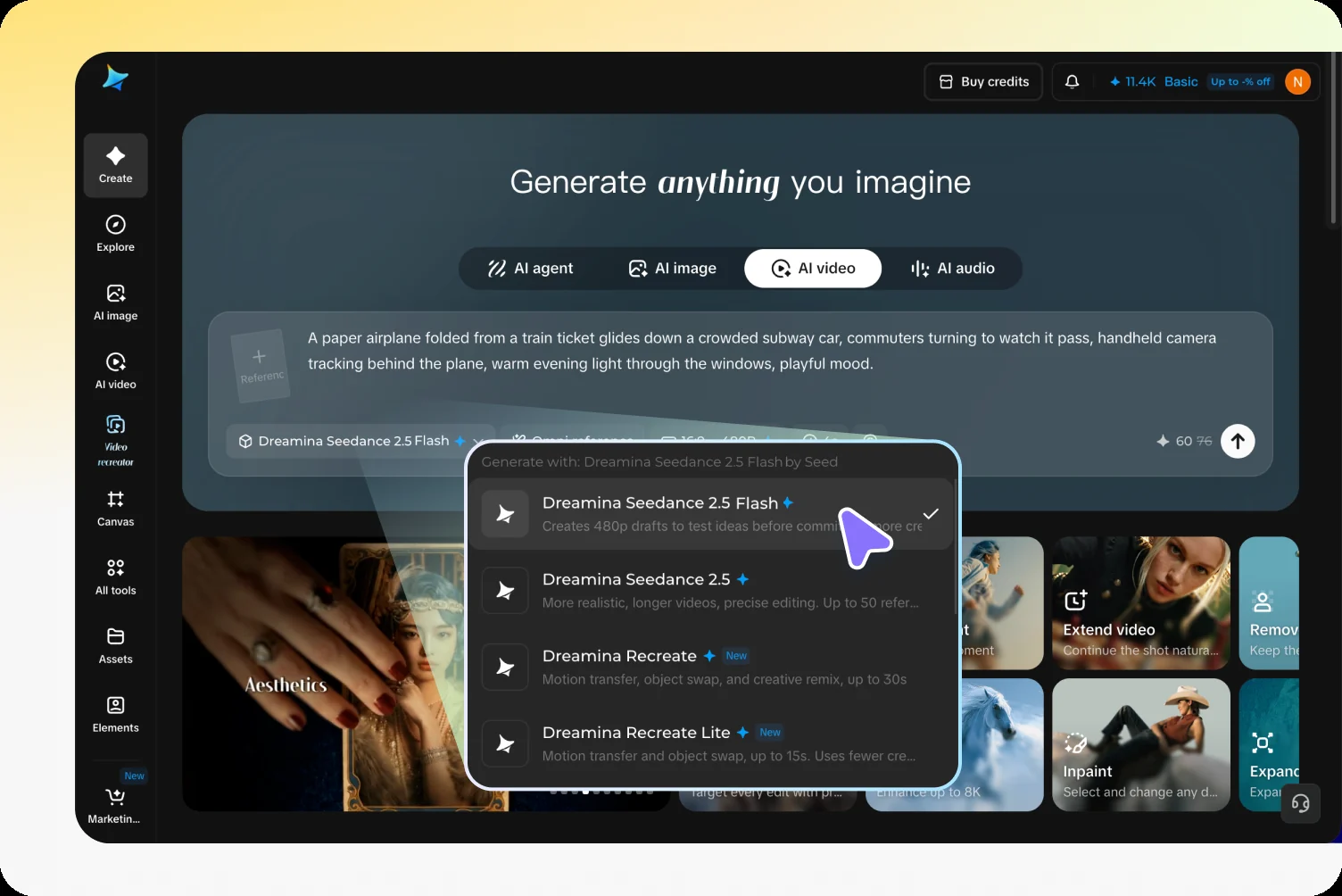
Official interface illustration of model selection and generation settings; it explains the creator UI and is not a ToAPIs integration screenshot.
Third, run a controlled comparison. Keep references and settings fixed while changing one meaningful creative variable, such as a lateral move versus a forward move. Use 480P or 720P according to the decision you need to make and the choices actually exposed. A batch is valuable when its alternatives are easy to compare, not simply because it contains many outputs.
Fourth, review picture and sound separately. Watch at normal speed for the overall idea, then inspect object stability, contacts, framing and the final pose. Listen for unwanted speech, distracting ambience and mismatched events. Record whether you accept the concept, need a revision or reject it. Keep an accepted concept distinct from an approved final asset.
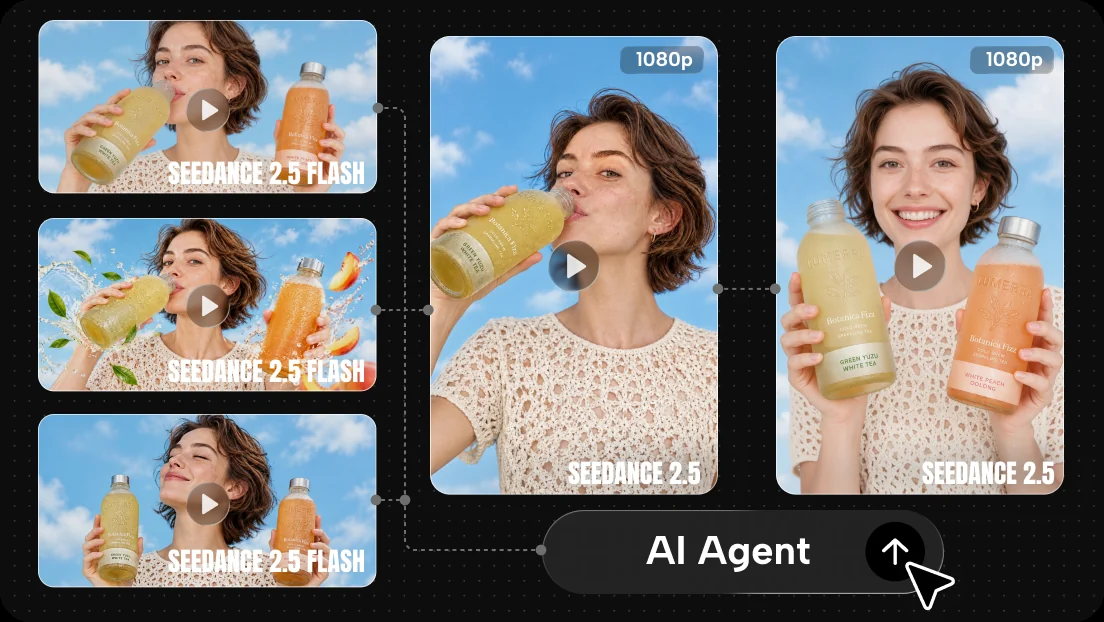
Official product-page illustration of batch previews and selection for further production; no ToAPIs batch run or acceptance benchmark is shown.
Fifth, promote and finish deliberately. Carry the selected prompt, references and review notes into the finishing workflow. If using full Seedance 2.5, check its supported controls anew and review the new output independently. Assemble shots, add accurate typography, balance audio and inspect the exported file at its delivery size. A preview selection saves a creative decision; it does not certify the finished render.
Cost mathematics: budget for accepted clips
Use hypothetical numbers to test a workflow before you have verified prices. Suppose a preview costs $0.08 per attempt, a final attempt costs $0.80, and you plan 24 previews plus four final attempts. These are invented planning assumptions, not Flash rates, creator subscription prices or ToAPIs quotes.
The generation budget is 24 * $0.08 + 4 * $0.80 = $5.12. If the batch delivers two accepted finished clips, generation cost per accepted clip is $5.12 / 2 = $2.56. If only one survives review, that figure becomes $5.12. Acceptance rate can matter more than the advertised price of a single attempt.
For a comparison, sending all 24 exploratory attempts through the hypothetical $0.80 final tier would cost $19.20. The preview route spends $14.08 less under these assumptions. That difference is not a measured product saving: it depends on different attempt counts, usable preview decisions and the assumed rates. A preview process that triggers many extra final retries could erase it.
Track review labor separately. At an assumed two minutes per preview, reviewing 24 candidates takes 48 minutes before finishing work. Set a stopping rule, such as selecting among a small batch once one candidate meets every essential condition. Before purchasing, check current billing units, failed-generation rules and account entitlements in the relevant service; consult ToAPIs pricing only for offerings actually listed there.
API integration checks before implementation
Start by checking whether the exact Flash variant appears in the current model catalog and ToAPIs documentation. A listing for Seedance 2.5 does not establish Flash availability. Obtain the exact model identifier, documented request route and account entitlement before writing a client. Do not convert the creator UI label into a guessed model string or endpoint.
Next, map the creative workflow to the real schema. Verify reference input types, upload requirements, accepted ratio and resolution values, duration limits, audio behavior and output formats. Confirm whether first and last frames are supported together in that API. A similar control in a creator interface does not establish a corresponding JSON property.
Then verify job handling: submission response, status states, polling or webhook support, result expiration and failure reporting. Determine whether retries can create duplicate billable jobs and how cancellation affects billing. These are requirements to resolve with actual documentation, not assertions about an available Flash API. Keep your offline evaluation records independent of transport details until that contract exists.
Finally, run a small authorized integration test once access and pricing are established. Measure submission-to-result time under recorded settings, inspect downloaded media and calculate cost per accepted output. Report the sample size and include failures. Until then, describe speed qualitatively and avoid numerical latency promises. A creator preview demonstration cannot substitute for an API benchmark.
Frequently asked questions
Is Flash available, and can I call it through ToAPIs?
An official Flash product page describes a creator workflow, so describing it as unlaunched would be inaccurate. That page does not verify ToAPIs API access. Confirm a current Flash listing, documentation and account entitlement before planning production calls.
Can Flash generate 30 seconds and extend twice?
Those statements belong to full Seedance 2.5. The reviewed Flash page does not establish a Flash duration ceiling or extension allowance. Choose only durations actually offered by your interface or documented API contract.
Does Flash generate synchronized audio?
The official creator instructions describe synchronized audio with video generation. Review the resulting soundtrack independently, and verify any API audio controls separately. Creative requests for silence, speech or sound effects still need output inspection.
What are the verified API price and latency?
Neither a Flash API price nor a numerical latency benchmark is established by the reviewed sources. Use explicit assumptions for planning, then replace them with verified billing and measured results when access is confirmed.
Sources: Official Flash product page and official full Seedance 2.5 page, checked November 12, 2026.