
A short-video workflow needs a usable clip, not merely a successful generation response. If a product changes shape halfway through an orbit, a vertical ad becomes a landscape crop, or an unexpected soundtrack reaches an editor, the nominal price of that request tells you very little. Kling V4 Flash is worth evaluating through that practical lens: can it produce the right short clip, with predictable inputs, inside your application's acceptance rules?
Source review: November 5, 2026. This guide uses the public fal Flash interface schemas and Layer's model documentation. These are provider-specific contracts, not evidence that every service exposes identical capabilities. We did not run paid inference, measure generation speed or verify a ToAPIs quotation. The code runs offline; creative prompts are proposed tests rather than measured outputs.
1. Kling V4 Flash features and the limits that matter
Kling V4 Flash, also called Kling 4.0 Flash in provider pages, is positioned as the efficient short-video option in the Kling 4 family. A useful evaluation should therefore focus on iteration throughput: how many acceptable variations a team can review and use, with what delay and total spend. The word “Flash” alone is not a latency guarantee. Queue load, reference downloads, retries and review time all contribute to the actual workflow.
The fal text-to-video schema exposes a required prompt, a 720p resolution value and an integer duration from 3 to 20 seconds. Its aspect-ratio choices are 16:9, 9:16, 1:1 and 21:9. That gives you a concrete starting point for landscape scenes, vertical ads, square social assets and wider compositions without guessing hidden settings.
| Workflow | Documented fal input | Important boundary |
|---|---|---|
| Text to video | Required prompt; duration 3–20; 720p; four ratios | Do not add unsupported quality, seed or audio fields |
| Image to video | Required start_image_url; optional prompt; duration 3–20 | Ratio follows the first image; no end frame |
| Reference to video | Required prompt; image, video and element references | Separate input limits; auto ratio is available here |
The image-to-video schema makes the first-frame rule explicit. Supplying an image is a composition commitment, not simply a style suggestion. Prepare a vertical source if the delivery needs a vertical composition, rather than assuming the service will reinterpret a horizontal image cleanly. The documented first image must be at least 300 pixels in each dimension, no more than 30 MB and within a width-to-height ratio of 0.4 to 2.5.
The distinction between Flash and the complete family matters throughout this article. A series overview can advertise longer shots, higher resolutions or more elaborate keyframe control while a Flash endpoint exposes a smaller subset. Use the exact route schema to design your form and validation. Do not silently convert a rejected 4K request into a 720p request: that changes the deliverable and should require an explicit product decision.
2. Build a valid request before adding credentials
The quickest useful integration step is local validation. The following Python 3 script uses only the standard library. Save it as prepare_flash.py and run python3 prepare_flash.py. It writes flash-request.json in the current directory and prints the payload. It does not read an API key, submit a job or spend credits. The selected endpoint identifier belongs to fal; it is not a ToAPIs model ID.
import json
from pathlib import Path

ENDPOINT = "kling/v4/flash/text-to-video"
ALLOWED_RATIOS = {"16:9", "9:16", "1:1", "21:9"}


def validate(payload):
    allowed = {"prompt", "duration", "resolution", "aspect_ratio"}
    unknown = set(payload) - allowed
    if unknown:
        raise ValueError(f"Unsupported fields: {sorted(unknown)}")
    prompt = payload.get("prompt")
    if not isinstance(prompt, str) or not prompt.strip():
        raise ValueError("A non-empty prompt is required")
    if len(prompt) > 26000:
        raise ValueError("Prompt exceeds the documented maximum")
    duration = payload.get("duration", 5)
    if type(duration) is not int or not 3 <= duration <= 20:
        raise ValueError("Duration must be an integer from 3 to 20")
    if payload.get("resolution", "720p") != "720p":
        raise ValueError("This Flash route documents 720p only")
    if payload.get("aspect_ratio", "16:9") not in ALLOWED_RATIOS:
        raise ValueError("Unsupported aspect ratio for this route")
    return payload


payload = validate({
    "prompt": (
        "A single matte blue ceramic cup on a warm gray table. "
        "One continuous slow camera push-in, the cup stays still. "
        "Soft window light from the left, no cuts, no text."
    ),
    "duration": 5,
    "resolution": "720p",
    "aspect_ratio": "9:16",
})
output = {"provider": "fal", "endpoint": ENDPOINT, "input": payload}
Path("flash-request.json").write_text(
    json.dumps(output, indent=2, ensure_ascii=False) + "\n",
    encoding="utf-8",
)
print(json.dumps(output, indent=2, ensure_ascii=False))
The envelope is a local preparation format; it is not the JSON body sent to the generation endpoint. When implementing a live adapter, submit only the documented input fields in the provider's required request format. Keep provider selection and endpoint routing in application configuration. Sending the whole preparation file without reading the request documentation is a common integration mistake.
The validator deliberately rejects extra fields. A permissive backend might ignore an unsupported audio switch or a misspelled ratio, leaving the caller convinced that a setting worked. Catching that mismatch locally makes the contract visible. This small validator covers the selected text route, not every constraint of the image and reference routes. Those need their own input validation, including actual media dimensions and file accessibility.
3. Choose text, first-frame or reference generation
Use text to video when composition can be explored freely. It is a sensible first test for a generic scene, a camera direction or an atmosphere. Keep the brief small enough to diagnose: one subject, one main action and one camera move. If every revision changes the setting, action and lighting together, it becomes difficult to tell which choice improved the output.
Use first-frame image to video when the opening product layout is important. A brand team can prepare the starting composition in its normal design tools, then ask for restrained movement. This does not guarantee the object's hidden side, label or geometry will remain correct. Inspect the middle and end of the clip, not only the thumbnail. A convincing first frame can hide a later identity failure.
The fal reference schema describes a third route. It allows up to ten image references, five video references and seven character/object elements; up to three elements may be video elements. An optional start image counts toward the image reference limit. These are per-input ceilings, not a promise that every maximum can be combined without further constraints. Reference videos share a 20-second combined budget with element videos, according to the schema description.
References are addressed in the prompt as @Image1, @Video1 and @Element1. Use those names to explain which asset supplies appearance and which supplies motion. A prompt saying only “use the references” leaves several competing interpretations. Preserve the submitted ordering in your job record, because swapping two image URLs while keeping the same prompt changes the meaning of the request.
Character elements are useful for describing a recurring subject, but reference support is not an identity warranty. If continuity is essential, define a review checklist for face, clothing, product silhouette, colors and visible marks. Reject clips with material drift even when the overall motion looks attractive. For commercial work, also establish the rights to every uploaded asset and the intended use of the generated result.
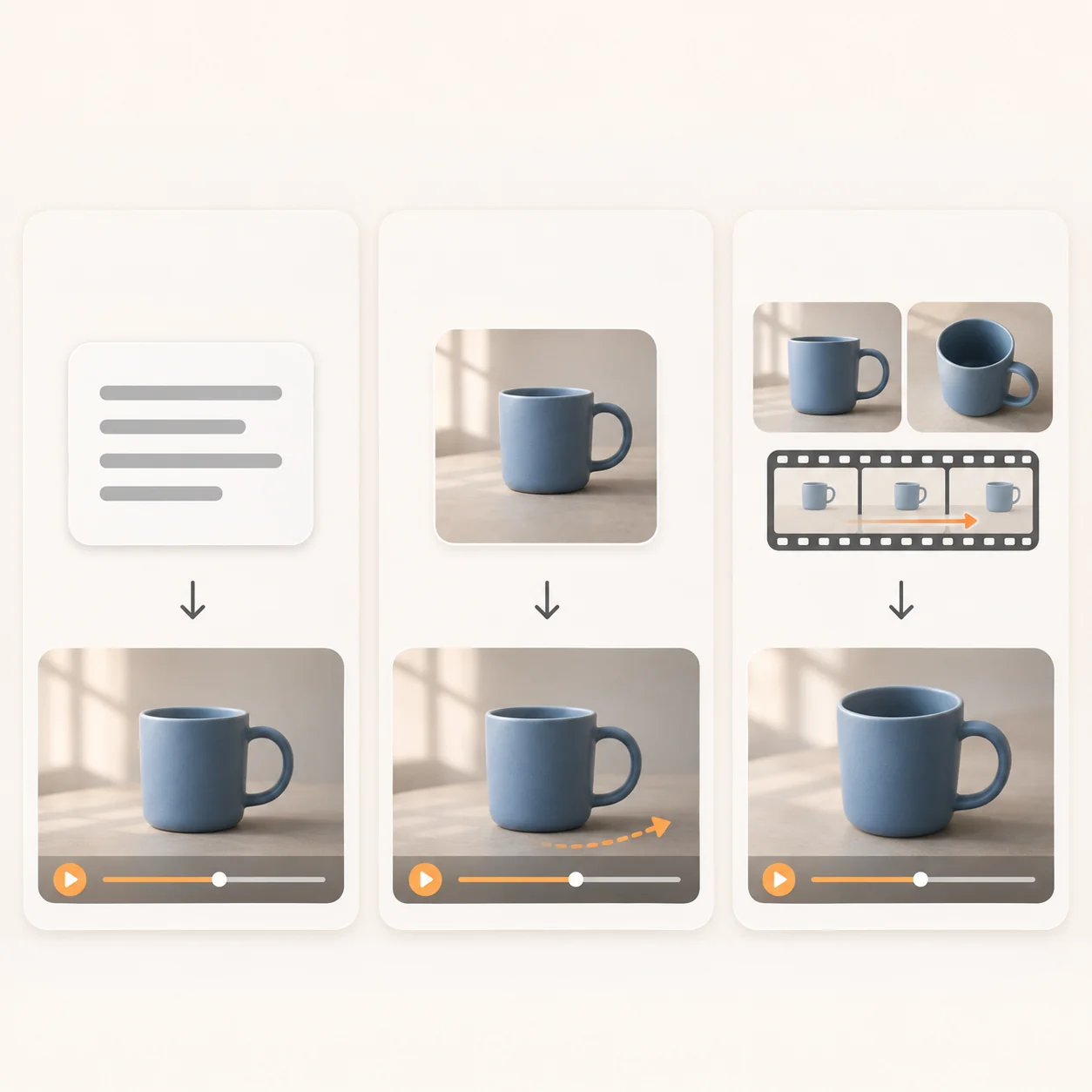
Concept illustration of three input workflows, not a Kling V4 Flash generation result or a guarantee of reference consistency.
4. Kling V4 Flash prompts for product and social clips
A practical prompt separates subject, motion, camera, environment and constraints. Start with visible facts rather than broad quality adjectives. “One blue ceramic cup, fixed on the table” gives a reviewer something to verify. “Amazing cinematic quality” supplies no acceptance rule. Natural-language instructions guide generation; they are not deterministic controls or additional API parameters.
For a product movement test, use this brief with a matching first image:

User-provided static composition example for discussing first-frame inputs and prompt design; not a verified Kling V4 Flash output.
One matte blue ceramic cup on a warm gray tabletop.
Preserve its silhouette, handle shape and blue surface.
The cup remains stationary. The camera makes a slow quarter orbit.
Soft window light stays fixed on the left. One continuous shot.
No new objects, no cuts, no on-screen text.
This example intentionally avoids a complete orbit. A full rotation forces the model to invent surfaces not visible in the source. Begin with a limited camera move, inspect geometry and reflections, then increase complexity only if the simpler task passes. A failed ambitious shot provides less diagnostic value than a controlled test with a clear failure condition.
For a vertical social clip, reserve composition space explicitly: place the subject in the middle, keep important action away from interface overlays and leave room for text added later in an editor. Generating final promotional typography inside the video increases the number of things that can fail. If exact spelling or legal text matters, plan a separate text layer and review it independently.
For a reference workflow, describe roles directly: “Use @Image1 for the cup's appearance and @Video1 for the slow camera movement; keep the background neutral.” This is an example instruction, not a measured result. Do not imply a reference video can be reproduced exactly. Check timing, unwanted cuts and object movement, and retain the source assets used for each attempt.
Audio deserves a separate acceptance pass. Layer's Flash documentation describes optional native audio, while the fal input schemas reviewed here do not expose an equivalent audio toggle. Do not copy generate_audio or another provider's field into a fal request without documentation. Record whether the delivered file contains sound, whether speech appears unexpectedly and whether music or effects fit the intended usage.
5. Design the asynchronous workflow around one paid job
Video generation is a job lifecycle. The fal queue schema documents a request identifier and states including IN_QUEUE, IN_PROGRESS and COMPLETED, with status and result retrieval paths. A successful submission means the request was accepted for processing; it does not mean a video file is ready. Store the request ID durably before returning control to the user interface.
Separate submission, status checks, result retrieval and local review in your application. If a browser refresh loses the only request ID, users may submit again and pay for a second generation. Associate a local operation identifier with the provider request and show the existing job after reconnecting. Do not describe this local deduplication as provider-supported idempotency unless the provider documents that feature.
A submission timeout is ambiguous: the upstream service may have created the job before the connection failed. Mark it for reconciliation rather than automatically repeating the POST. A status-read failure is different because it normally does not create a new generation. Follow the provider's current retry guidance; if it supplies Retry-After, honor it. Otherwise use capped backoff with jitter for temporary read errors and stop on persistent authentication or validation errors.
Polling every three seconds can be an application starting point, but it is not a measured requirement of Kling V4 Flash. Tune it against provider limits and the expected user experience. Use a deadline for your worker and a clear “still processing” state for the user. Reaching a local timeout does not establish that the provider cancelled the job or waived its charge.
Retrieve the result only after completion, then validate the returned media before marking the operation usable. Inspect dimensions, duration, playback, sound and subject continuity. Keep a review failure separate from a transport failure. A technically downloadable MP4 can still be unusable for an advertisement, and that distinction belongs in both your analytics and your cost calculation.
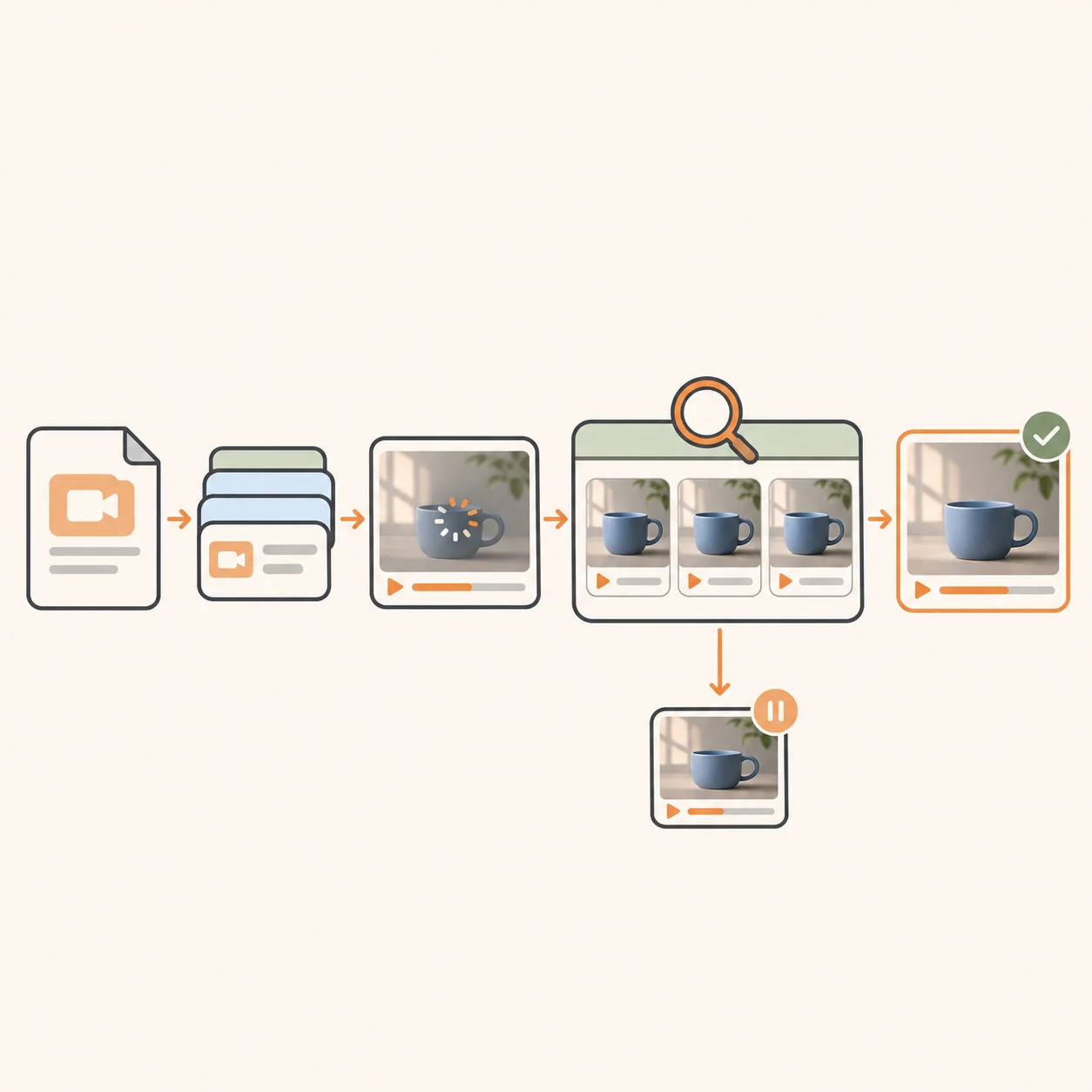
Concept workflow: a completed generation still needs media and continuity checks before acceptance; this is not an actual provider interface or test record.
6. Kling V4 Flash pricing: count accepted clips
This review does not establish an official Flash rate, a ToAPIs discount or a guaranteed speed improvement. A price found on a full Kling 4.0 page cannot be assigned to the Flash route. Obtain the exact model identifier, billing unit, audio treatment, minimum duration, rounding rule and failure policy from the provider you plan to use. Preserve the date and currency with the quote.
For a hypothetical per-output-second plan, the arithmetic is straightforward. Suppose a team submits 100 five-second clips at an invented rate of USD 0.05 per second. The generation spend is 100 × 5 × 0.05 = USD 25. If 80 clips pass review, the generation cost per accepted clip is 25 / 80 = USD 0.3125. These numbers explain the method; they are not Kling V4 Flash prices or measured acceptance rates.
| Hypothetical scenario | Attempts | Accepted clips | Generation spend | Cost per accepted clip |
|---|---|---|---|---|
| Same 5s clip length and USD 0.05/s assumption | 100 | 80 | USD 25 | USD 0.3125 |
| Same spend, harder acceptance criteria | 100 | 50 | USD 25 | USD 0.50 |
The second row shows why nominal pricing is insufficient. A cheaper route can become more expensive if it repeatedly changes the product shape or misses framing requirements. Add editor time, storage, downloads and any separate enhancement steps to estimate the complete workflow cost. Keep those costs separate in the report so that a provider price change does not hide a review-process problem.
Do not treat upscaling as proof of native high-resolution generation. If the final delivery needs 1080p or 4K, evaluate a documented higher-resolution route or an explicitly separate enhancement stage. Report the source resolution and the extra cost. A larger output file does not necessarily restore lost detail, improve identity consistency or repair incorrect motion.
For a fair comparison, hold the task, duration, ratio, references, attempt budget and review criteria constant. Record queue time, processing time if available, total elapsed time and the fraction of outputs accepted. Report the sample size and observation date with the results. A best-looking promotional clip cannot establish average speed, reliability or cost for your own workload.
7. Decide whether Flash fits the delivery
Start with a small acceptance pack: a stationary product with camera movement, a moving subject with a fixed camera and a reference-driven continuity task. Use the same inputs for each provider path being evaluated. Decide the rejection rules before seeing outputs, and retain failed attempts. Otherwise the evaluation gradually becomes a selection of attractive examples instead of a decision process.
Kling V4 Flash is a candidate when short 720p output meets the actual delivery requirement and a team values repeated exploration. A different documented route is a better candidate when native higher resolution, longer duration, explicit end-frame control or another unavailable input is mandatory. Check these constraints first; it is wasteful to optimize prompts for a contract that cannot produce the required deliverable.
Before integrating through ToAPIs, inspect the model catalog, current pricing and request documentation. Match the catalog identifier to the documented request path, account access and billing rule. Those links are verification steps, not a statement that this model is currently callable on every account. If the required route is absent, keep the integration disabled until the contract is documented.
Does Kling V4 Flash support 4K or 30-second output?
The fal Flash schemas reviewed here document 720p and durations from 3 to 20 seconds. Series-level advertising does not override those limits. Verify another route separately if your project requires a longer or higher-resolution result.
Can I supply a start frame and an end frame?
The documented fal Flash image route accepts a start frame and explicitly excludes an end frame. A reference image is not a substitute for an endpoint-level end-frame control. Do not promise a specified final composition without testing a route that actually supports it.
Can it generate audio?
Layer describes optional native audio. The fal schemas examined do not expose the same switch. Check the selected provider's current contract and inspect the resulting media; do not infer equivalent controls from the common model name.
What is the confirmed ToAPIs price?
No verified ToAPIs quotation or authenticated access test is supplied here. Consult the current catalog, pricing and request documentation. The arithmetic above is deliberately hypothetical and should never be copied into a product price table.
Sources and update policy
- fal: Flash text-to-video schema — route-specific input and queue contract, reviewed November 5, 2026.
- fal: Flash image-to-video schema — first-frame media constraints and no-end-frame rule.
- fal: Flash reference-to-video schema — reference counts, element handling and video budget.
- Layer: Kling V4 Flash documentation — a separate provider's model description and audio controls.
- fal: What is Kling 4.0? — older family overview, published September 30, 2026; useful background, not the current Flash request contract.
When updating this guide, record the source, provider and review date for every changed limit. Publish generation records and evaluation conditions before adding latency, quality or savings claims. No illustration in this guide is presented as model output, and no authenticated inference result is claimed.