





The MiniMax H3 Prompting Guide: How to Craft Cinematic Camera Movements via API
Target Model:
minimax-h3
Inference Endpoint:https://api.toapis.com/v1/videos/generations
Related: MiniMax H3 API Guide · H3 vs Turbo selection · Automated R2V pipeline
1. TL;DR & Performance Overview
- Job: Turn a shot list into repeatable MiniMax H3 prompts — subject, action, camera path, lens, and lighting — then submit them on the ToAPIs generations endpoint.
- Prompt craft: Lead with camera intent, then the subject. Pair a directional phrase with a focal length (for example 35mm versus 85mm) and a lighting cue.
- Contract: Base
minimax-h3accepts integer 4–15s clips. Useratio(16:9,9:16, and the other ratios listed below). This is the frontend request contract, not a latency or quality benchmark. - Syntax caution: Bracketed tags are prompt helpers. Do not treat
[Pan Left]as a documented native command unless upstream model documentation says so. - Protocol: Bearer REST. Submit once, persist the task identifier, and poll the documented task-status endpoint with a bounded deadline.
2. Camera-Movement Prompt Patterns
A useful H3 prompt describes one scene and one primary action before it adds camera direction, lens, or style. Keep those pieces stable when you A/B a model or a duration; otherwise a wording change can explain a different take.
The tags in the table below are prompt helpers, not a guaranteed command grammar. The ToAPIs frontend contract validates the prompt as text (up to 7,000 Unicode characters). It does not establish that strings such as [Pan Left] are native H3 commands. Use them as a consistent vocabulary in your templates, then review the output.
| Prompt helper | Visual trajectory | Typical use |
|---|---|---|
[Pan Left] / [Pan Right] | Horizontal rotation on a fixed axis | Landscape reveals, skyline sweeps |
[Tilt Up] / [Tilt Down] | Vertical tilt from a fixed position | Towers, tall subjects, sky reveals |
[Dolly In] / [Dolly Out] | Camera moves toward or away from the subject | Tightening emotional emphasis |
[Truck Left] / [Truck Right] | Lateral tracking move | Running alongside a vehicle or walker |
[Crane Shot] / [Pedestal Up] | Vertical elevation of the camera | High-angle establishing shots |
[Orbit 180] / [Arc Shot] | Semi-circular move around the subject | Product turns, hero reveals |
[Hitchcock Zoom] | Dolly in while zooming out (or the reverse) | Psychological shock, sudden realization |
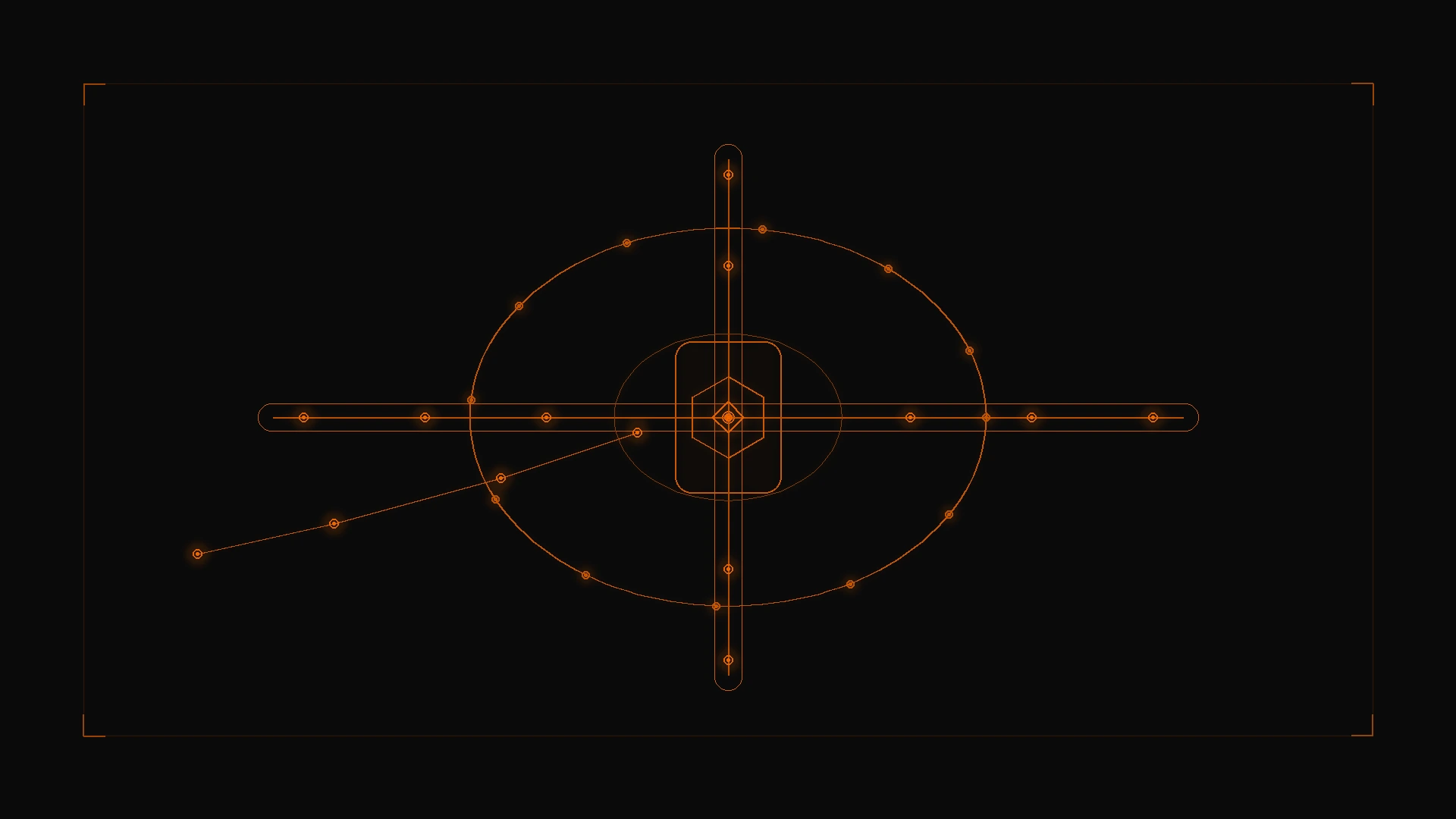
Figure 1: Treat pan, tilt, dolly, and orbit as prompt-space trajectories around one subject — then submit a single generation request through the ToAPIs gateway.
A compact template that stays testable:
[CAMERA] SUBJECT and ACTION, LIGHTING, shot on LENS, STYLE NOTES
Example: [Orbit 180 + Slow Dolly In] Matte black mechanical wristwatch resting on volcanic stone, moody low-key rim lighting, subtle steam haze, shot on 85mm macro lens, photorealistic, cinematic motion blur.
For first-frame (R2V) jobs, the same prompt language describes how the camera should move around or away from the anchor image. See the R2V pipeline tutorial for the request fields. Frame inputs and reference media remain mutually exclusive modes.
Supported ratio values in the current frontend are adaptive, 21:9, 16:9, 4:3, 1:1, 3:4, and 9:16. Frame inputs force adaptive. Do not send aspect_ratio; the contract field is ratio.
3. Production Implementation: cURL & Python
Step 1: cURL dispatch
curl -X POST "https://api.toapis.com/v1/videos/generations" \
  -H "Authorization: Bearer $TOAPIS_API_KEY" \
  -H "Content-Type: application/json" \
  -d '{
    "model": "minimax-h3",
    "prompt": "[Orbit 180 + Slow Dolly In] Matte black mechanical wristwatch resting on volcanic stone, moody low-key rim lighting, subtle steam haze, shot on 85mm macro lens, photorealistic, cinematic motion blur",
    "duration": 6,
    "ratio": "16:9"
  }'
Step 2: Python prompt helper and poller
Match field names and the response envelope to the API reference for your account. The snippet below uses the task-status path also shown in other ToAPIs video guides; confirm task_id, status, and video_url against that schema before you ship.
import os
import time
import requests

API_KEY = os.environ["TOAPIS_API_KEY"]
ENDPOINT = "https://api.toapis.com/v1/videos/generations"
HEADERS = {
    "Authorization": f"Bearer {API_KEY}",
    "Content-Type": "application/json",
}


def build_cinematic_prompt(
    subject: str,
    camera_move: str,
    lighting: str,
    lens: str = "35mm anamorphic",
) -> str:
    return (
        f"[{camera_move}] {subject}, {lighting}, "
        f"shot on {lens}, photorealistic, cinematic motion blur."
    )


def dispatch_camera_shot(prompt: str, duration: int = 6, ratio: str = "16:9") -> str:
    payload = {
        "model": "minimax-h3",
        "prompt": prompt,
        "duration": duration,
        "ratio": ratio,
    }
    res = requests.post(ENDPOINT, headers=HEADERS, json=payload, timeout=30)
    res.raise_for_status()
    data = res.json()
    task_id = data.get("task_id") or data.get("id")
    if not task_id:
        raise RuntimeError(f"Unexpected submission envelope: {data}")
    return task_id


def poll_task(task_id: str, deadline_s: int = 180) -> str:
    poll_url = f"https://api.toapis.com/v1/videos/tasks/{task_id}"
    interval = 3.0
    start = time.time()
    while time.time() - start < deadline_s:
        time.sleep(interval)
        poll = requests.get(poll_url, headers=HEADERS, timeout=15)
        poll.raise_for_status()
        data = poll.json()
        status = data.get("status")
        if status in {"succeeded", "success"}:
            return data["video_url"]
        if status in {"failed", "error"}:
            raise RuntimeError(f"Generation failed: {data.get('error')}")
        interval = min(interval * 1.5, 8.0)
    raise TimeoutError(f"Task {task_id} exceeded {deadline_s}s; check status before retrying")


if __name__ == "__main__":
    prompt = build_cinematic_prompt(
        subject="Matte black mechanical wristwatch resting on volcanic stone",
        camera_move="Orbit 180 + Slow Dolly In",
        lighting="Moody low-key rim lighting, subtle steam haze",
        lens="85mm macro lens",
    )
    task_id = dispatch_camera_shot(prompt)
    print("Task:", task_id)
    print("Video:", poll_task(task_id))
Store the prompt template version next to the task record so you can tell a model change from a wording change. A client-side timeout is not proof that the upstream task failed — check status before submitting a second billable job.
Base H3 duration is an integer from 4 to 15 seconds. Max-family IDs start at 5 seconds and have their own resolution lists; Turbo does not accept reference media. See the API guide before you switch IDs.
4. Error Handling & Status Matrix
The categories below are diagnostic starting points, not a guarantee of exact ToAPIs error codes.
| HTTP status | Common category | Recommended action |
|---|---|---|
400 | Invalid field, unsupported value, or media-mode conflict | Check model ID, duration, ratio, resolution, and that frame inputs are not mixed with reference media |
401 | Missing or invalid API key | Rotate the key in the ToAPIs dashboard and confirm the Authorization header |
429 | Rate or concurrency limit | Back off with jitter; retry only when safe |
5xx or network timeout | Temporary gateway or upstream issue | Check task status before resubmitting; use a bounded retry policy |
5. Pricing & FinOps ROI
- Do not reuse planning-draft unit prices. Per-second rates, billing units, and failed-task treatment vary by model, route, and account. Read the current ToAPIs catalog and your account quote before you forecast a shot list.
- Official vendor contracts often add annual commitments, seat quotas, and prepayment floors. ToAPIs billing is typically pay-as-you-go — confirm the active terms on your account.
- Control spend in the prompt layer: keep a versioned template, change one variable at a time, and avoid resubmitting after a client timeout until you have checked task status.
- For variant trade-offs (base H3, canonical Max, Turbo), use the selection guide rather than an unverified speed or quality score.
6. Frequently Asked Questions
See the FAQ block in frontmatter. Summary: lead the prompt with camera intent; compound camera language is prompt text, not a guaranteed grammar; the same wording applies in first-frame mode; bracketed tags are not official API parameters.
7. Action Checklist
- Create a key on the ToAPIs Developer Portal.
- Smoke-test the cURL snippet with
minimax-h3,ratio: "16:9", and a 6-second duration. - Adopt the prompt helper, persist template versions, and poll with a 180s deadline.
- Next: the H3 API request contract and the automated R2V pipeline.