





Building an Automated Image-to-Video (R2V) Pipeline Using the MiniMax H3 API
Target Model:
minimax-h3
Inference Endpoint:https://api.toapis.com/v1/videos/generations
Related: MiniMax H3 API Guide · Camera-movement prompting · H3 vs Turbo selection
1. TL;DR & Performance Overview
- Job: Animate a still into a short clip with MiniMax H3 frame mode, then wrap submit-and-poll in a worker you can run unattended.
- Inputs:
first_frame_imageas a one-item list; optionallast_frame_imageas a one-item list; a prompt that describes motion away from or around that anchor; integer duration 4–15s on baseminimax-h3. - Modes: Frame inputs and reference media are mutually exclusive. Turbo (
minimax-h3-max-turbo) rejects reference media; do not copy reference fields into a Turbo payload. - Worker: Stage a reachable asset, POST once, persist the task identifier, poll with backoff and a hard deadline, then store the result URL in your own system.
- Scope: This is an integration guide for the current ToAPIs frontend contract. It is not a latency, availability, or price benchmark.
2. Pipeline Blueprint
An unattended R2V worker should decouple the caller's HTTP request from the long-running render:
- Accept the source still and motion prompt from your product.
- Stage the image through the documented upload flow, or use a URL you are authorized to fetch. Prefer object storage with a short-lived, reachable locator rather than a private disk path.
- Submit one
POST /v1/videos/generationsjob withmodel,prompt,duration, andfirst_frame_image. - Poll the documented task-status endpoint with bounded exponential backoff and an overall deadline.
- Deliver the resulting video URL through your own notification path (queue, email, or product webhook). Check task status before you create a second billable job.
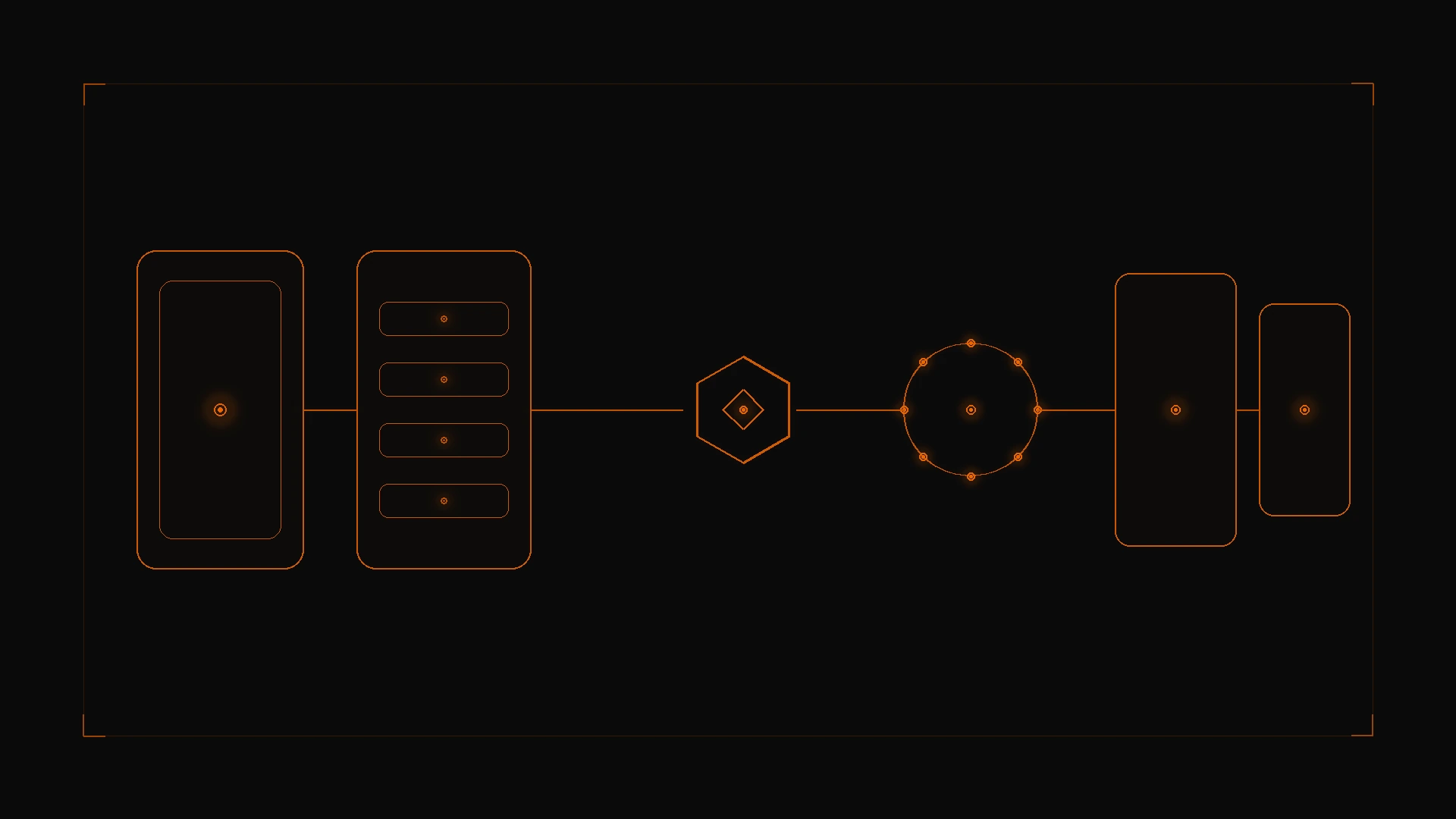
Figure 1: A still is staged, submitted once through the ToAPIs generations gateway, then polled to a terminal state before your service emits the finished clip.
Pre-flight checks that prevent most 400s:
- Use the exact model ID enabled for the account (
minimax-h3,minimax-h3-max, orminimax-h3-max-turbo— not an invented alias). - Duration is an integer: 4–15s on base H3, 5–15s on Max-family IDs.
first_frame_imageandlast_frame_imageare lists of at most one image each.- Do not send
reference_images,reference_videos, orreference_audioin the same request as frame inputs. - Frame mode forces
ratiotoadaptivein the current frontend. Match the still's shape to the intended canvas (for example 1920×1080 for a widescreen clip, 1080×1920 for a vertical clip) to reduce unexpected cropping. - The contract field is
ratio, notaspect_ratio.
Camera wording in the prompt still applies in frame mode; see the camera-movement prompting guide. Treat bracketed tags as prompt helpers, not native commands.
3. Production Implementation: cURL & Python
Step 1: cURL first-frame request
curl -X POST "https://api.toapis.com/v1/videos/generations" \
  -H "Authorization: Bearer $TOAPIS_API_KEY" \
  -H "Content-Type: application/json" \
  -d '{
    "model": "minimax-h3",
    "prompt": "[Dolly Forward] Rain falling onto neon asphalt, steam rising from grates, cinematic reflections",
    "duration": 6,
    "ratio": "16:9",
    "first_frame_image": ["https://example.com/starting-frame.jpg"]
  }'
Replace the placeholder URL with an asset identifier or URL from your documented upload flow. The published H3 contract shows first_frame_image as an array, not a bare string.
To also guide an end frame, add "last_frame_image": ["https://example.com/ending-frame.jpg"] in the same frame-mode request. That is standard frame mode, not a Turbo-only experimental flag.
Step 2: Python worker with bounded polling
Match task_id, status, and video_url to the response schema documented for your account before you ship.
import os
import time
import requests
from typing import Any

API_KEY = os.environ["TOAPIS_API_KEY"]
BASE_URL = "https://api.toapis.com/v1"
HEADERS = {
    "Authorization": f"Bearer {API_KEY}",
    "Content-Type": "application/json",
}


class MiniMaxR2VPipeline:
    def trigger_r2v(
        self,
        image_ref: str,
        prompt: str,
        duration: int = 6,
        last_frame_ref: str | None = None,
    ) -> str:
        if not 4 <= duration <= 15:
            raise ValueError("Base minimax-h3 accepts integer durations of 4-15 seconds")
        payload: dict[str, Any] = {
            "model": "minimax-h3",
            "prompt": prompt,
            "duration": duration,
            "ratio": "16:9",
            "first_frame_image": [image_ref],
        }
        if last_frame_ref:
            payload["last_frame_image"] = [last_frame_ref]
        res = requests.post(
            f"{BASE_URL}/videos/generations",
            headers=HEADERS,
            json=payload,
            timeout=30,
        )
        res.raise_for_status()
        data = res.json()
        task_id = data.get("task_id") or data.get("id")
        if not task_id:
            raise RuntimeError(f"Unexpected submission envelope: {data}")
        return task_id

    def poll_until_complete(self, task_id: str, max_timeout: int = 180) -> dict[str, Any]:
        start = time.time()
        interval = 3.0
        poll_url = f"{BASE_URL}/videos/tasks/{task_id}"
        while time.time() - start < max_timeout:
            res = requests.get(poll_url, headers=HEADERS, timeout=15)
            res.raise_for_status()
            data = res.json()
            status = data.get("status")
            if status in {"succeeded", "success"}:
                return {
                    "status": "success",
                    "task_id": task_id,
                    "video_url": data.get("video_url"),
                    "elapsed_seconds": round(time.time() - start, 2),
                }
            if status in {"failed", "error"}:
                return {
                    "status": "error",
                    "task_id": task_id,
                    "error": data.get("error", "Generation failed"),
                }
            time.sleep(interval)
            interval = min(interval * 1.1, 6.0)
        return {
            "status": "timeout",
            "task_id": task_id,
            "error": f"Exceeded {max_timeout}s; check task status before retrying",
        }


if __name__ == "__main__":
    pipeline = MiniMaxR2VPipeline()
    # Replace with an uploaded asset identifier or a URL you are authorized to fetch.
    image_ref = "https://example.com/starting-frame.jpg"
    prompt = "[Dolly Forward] Rain falling onto neon asphalt, steam rising from grates, cinematic reflections"
    task_id = pipeline.trigger_r2v(image_ref, prompt)
    print("Task:", task_id)
    print("Result:", pipeline.poll_until_complete(task_id))
A timeout is not a confirmed failure. Log the task identifier (never the API key or private media URLs), inspect status, and only then decide whether to submit again.
4. Error Handling & Status Matrix
The categories below are diagnostic starting points, not a guarantee of exact ToAPIs error codes.
| HTTP status | Common category | Recommended action |
|---|---|---|
400 | Invalid field, unreachable or unsupported media, or mixed frame/reference modes | Validate model ID, duration, first_frame_image as a one-item list, and that reference fields are absent |
401 | Missing or invalid API key | Rotate the key in the ToAPIs dashboard |
429 | Rate or concurrency limit | Back off with jitter and queue locally |
5xx or network timeout | Temporary gateway or upstream issue | Re-read task status before creating another job |
Treat upload failures as a hard stop: do not submit a generation request without a valid asset identifier.
5. Pricing & FinOps ROI
- Quote from a dated account source. Do not paste planning-draft per-second prices or SLA percentages into a production forecast. Rates and failed-task billing can differ by model and route.
- Official vendor contracts may require commitments or prepayment floors. Confirm whether your ToAPIs account is pure pay-as-you-go and how failed upstream renders are billed.
- Pipeline discipline is the practical FinOps lever: one submit per shot, status checks before retries, prompt templates stored with the task, and duration kept at the shortest clip that serves the shot.
- Need 1080P? Check whether the exact canonical
minimax-h3-maxID is enabled. Need Turbo? Useminimax-h3-max-turboand omit reference-media fields. Details are in the selection guide.
6. Frequently Asked Questions
See the FAQ block in frontmatter. Summary: match the still to the intended canvas; last-frame guidance is standard frame mode (at most one image each); use the documented upload flow rather than a private path; this guide polls for status instead of assuming a ToAPIs webhook.
7. Action Checklist
- Create a key on the ToAPIs Developer Portal.
- Stage one still through the documented upload flow and smoke-test the cURL first-frame request.
- Wire the Python worker with a 180s poll deadline and a no-duplicate-submit rule on timeouts.
- Review the H3 request contract and the camera-movement prompting guide before you batch jobs.