快速结论

  • grok-video-1.5-preview supports Text-to-Video, Image-to-Video, R2V, and Video Edit in one workflow.
  • Use this model guide page to validate parameters with minimal request/response examples.
  • Stabilize prompts here first, then move to production API integration.

关键参数

  • model | string | 必填 | gemini-omni-flash | - | Model identifier. Use the fixed value `gemini-omni-flash`.
  • prompt | string | 必填 | - | - | Main instruction describing the subject, action, scene, and style.
  • aspect_ratio | string | 可选 | 16:9 | 16:9 | 9:16 | Video aspect ratio. Defaults to `16:9`, corresponding to landscape or portrait output.
  • duration | integer | 可选 | 6 | 6 | 10 | Output duration in seconds. Defaults to `6` and currently supports only `6` and `10`.
  • resolution | string | 可选 | 720P | 720P | Output resolution. Currently only `720P` is supported; if omitted, the default value is used.

常见错误

  • 400 invalid_request_error: 触发=Request payload misses required fields or has invalid field types.; 修复=Validate model, mode, and input schema before request.; 重试=Retry only after fixing payload; avoid blind retries.
  • 401 authentication_error: 触发=Missing Authorization header or invalid API key.; 修复=Verify Bearer token format and API key scope.; 重试=Retry after auth fix; rotate key if repeated failures continue.
  • 429 rate_limit_exceeded: 触发=Request rate, concurrency, or current quota hits upstream rate limiting.; 修复=Apply exponential backoff first, then review request rate, concurrency, and quota usage.; 重试=Use exponential backoff (e.g., 1s/2s/4s) with jitter; if it persists, reduce submission pressure.
  • 500 internal_error: 触发=Transient upstream error or internal processing failure.; 修复=Capture request id and trigger retry workflow.; 重试=Retry 2-3 times with short delays; escalate if persistent.
返回模型广场

Grok Video 1.5 Preview

使用 Grok 預覽版圖生影片模型,把 1 張參考圖生成 10 秒或 15 秒影片。

僅支援圖生影片
單張參考圖
10 秒與 15 秒
非同步影片 API
查看 API 文档

新用户可获得 10 credits。无需信用卡。

15 秒圖生影片結果

1

Reference image

10/15s

Durations

$0.10+

Starting price

API

Production ready

New users get 10 credits to test Grok Video 1.5 Preview.

Upload a reference image, choose a duration, and validate motion before integrating the API.

Start with free credits
1

描述你的视频

描述主体、镜头、场景和风格。232 / 1200

快速提示词

高级选项

示例参数

参考图

请求预览

{
  "model": "grok-video-1.5-preview",
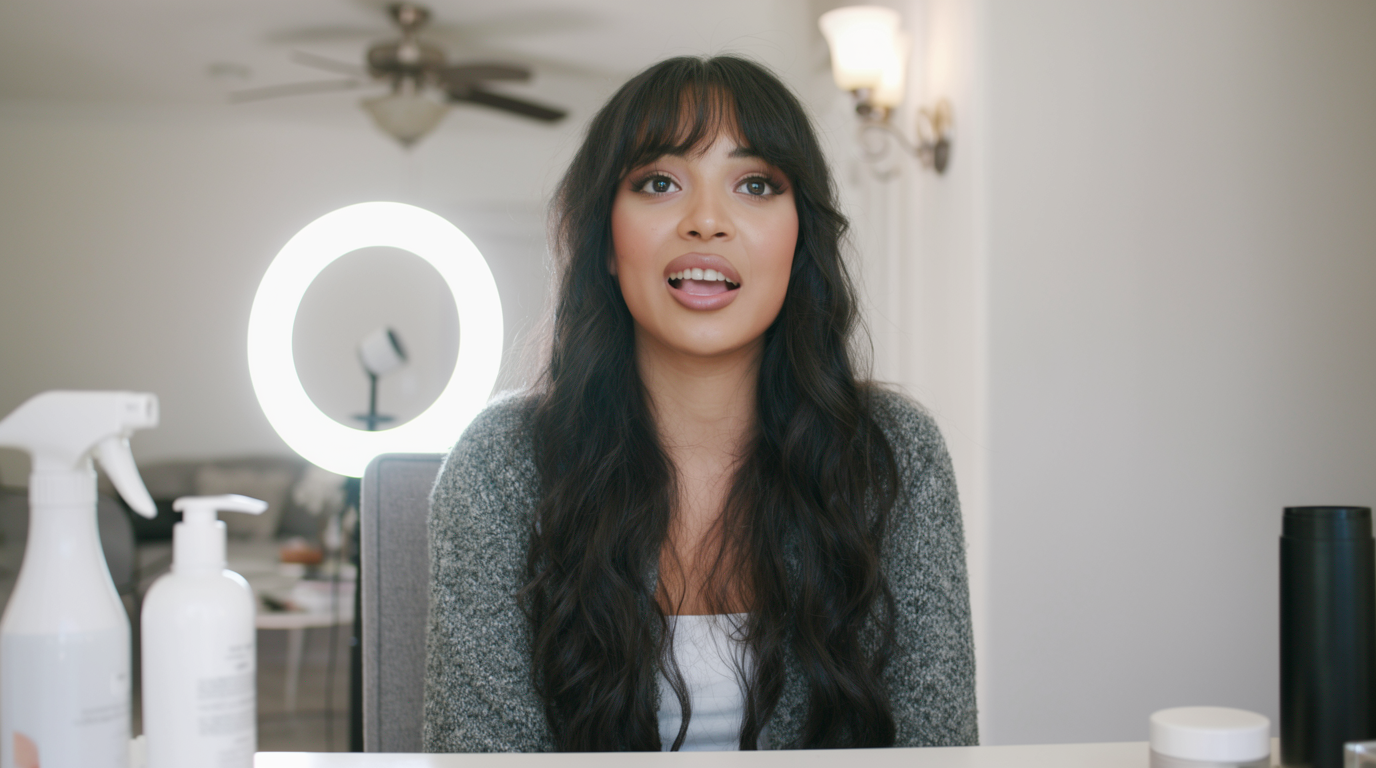
  "prompt": "(0-5s) Medium shot, she speaks warmly while gesturing to a product. (5-10s) Slow push-in to a close-up, glowing skin and expressive eyes. (10-15s) Cut to an over-shoulder framing of the vanity as she smiles. Glossy, warm, cinematic.",
  "seconds": "15",
  "aspect_ratio": "16:9",
  "images": [
    "https://files.toapis.com/model-guide/grok-video-1.5-preview/reference.png"
  ]
}
2

你的视频结果

Grok Video 1.5 Preview pricing

Simple per-request pricing by duration. Both variants require exactly one reference image.

Preview access
充值 credits

10s image-to-video

ToAPIs 价格

$0.1

20 credits / request

Reference price

-

/ request

15s image-to-video

ToAPIs 价格

$0.15

30 credits / request

Reference price

-

/ request

Prices are shown for model-page comparison and may change. Final billing follows the current account pricing before submission.

Why use ToAPIs for Grok Video 1.5 Preview?

Use one API key for preview image-to-video workflows, pricing checks, async status polling, and broader model routing.

Strict image-to-video controls

The playground and API enforce one reference image and supported durations to avoid invalid jobs.

Transparent per-request cost

10s and 15s jobs map to clear per-request pricing, with live account billing before submission.

Unified video workflow

Submit a video task, poll status, and reuse the same dashboard for Sora, VEO, Kling, Seedance, and Grok.

Generate a Grok video in three steps

Test motion in the browser, then move the same request shape into production.

  1. 1

    Upload one image

    Use a public image URL or upload a local JPEG, PNG, or WebP through ToAPIs first.

  2. 2

    Choose 10s or 15s

    The preview model does not support text-only video generation or other durations.

  3. 3

    Poll task status

    Use the returned task ID with the video status endpoint until the generated video URL is ready.

Built for image-led video teams

Product motion tests

Animate a product still into a short commerce video for ads, listings, and launch pages.

Storyboard validation

Turn approved frames into short motion drafts before a longer production pass.

Creator workflows

Batch-test image concepts and keep only the motion candidates that fit your campaign.

Grok Video 1.5 Preview FAQ

Does Grok Video 1.5 Preview support text-to-video?

No. This model requires exactly one reference image and only supports image-to-video generation.

How many reference images can I use?

Exactly one. Requests with no image or multiple images are rejected before submission.

What durations are supported?

Only 10 seconds and 15 seconds are supported for this preview model.

Grok Video 1.5 Preview API

Create your first Grok image-to-video task

Start with free credits, validate the motion, then connect the API to your creative workflow.