







用 MiniMax H3 API 搭建自動化圖生影片(R2V)流水線
目標模型:
minimax-h3
推理端點:https://api.toapis.com/v1/videos/generations
相關閱讀: MiniMax H3 API 指南 · 運鏡提示詞指南 · H3 與 Turbo 如何選擇
1. 核心摘要與性能速覽 (TL;DR)
- 目標:用 MiniMax H3 幀模式把靜幀做成短片,並把提交與輪詢封裝進可無人值守運行的 worker。
- 輸入:
first_frame_image為單元素列表;可選last_frame_image為單元素列表;一條描述鏡頭如何離開或環繞該錨點的提示詞;基礎minimax-h3上整數時長 4–15 秒。 - 模式:幀輸入與參考媒體互斥。Turbo(
minimax-h3-max-turbo)不接受參考媒體;不要把參考欄位拷進 Turbo 請求體。 - Worker:暫存可存取的素材,只 POST 一次,持久化任務標識,以退避和硬截止時間輪詢,再把結果 URL 存進你自己的系統。
- 範圍:這是針對目前 ToAPIs 前端約定的整合指南,不是時延、可用性或價格基準測試。
2. 流水線藍圖
無人值守的 R2V worker 應把呼叫方的 HTTP 請求與耗時渲染解耦:
- 接收 產品側的源靜幀和運動提示詞。
- 暫存 圖片:走文檔中的上傳流程,或使用你有權拉取的 URL。優先使用帶短時、可存取定位符的物件儲存,而不是私有磁碟路徑。
- 提交 一次帶有
model、prompt、duration和first_frame_image的POST /v1/videos/generations。 - 輪詢 文檔中的任務狀態端點,使用有上限的指數退避和總截止時間。
- 交付 結果影片 URL:通過你自己的通知路徑(佇列、郵件或產品 webhook)。在建立第二次計費任務前先查狀態。
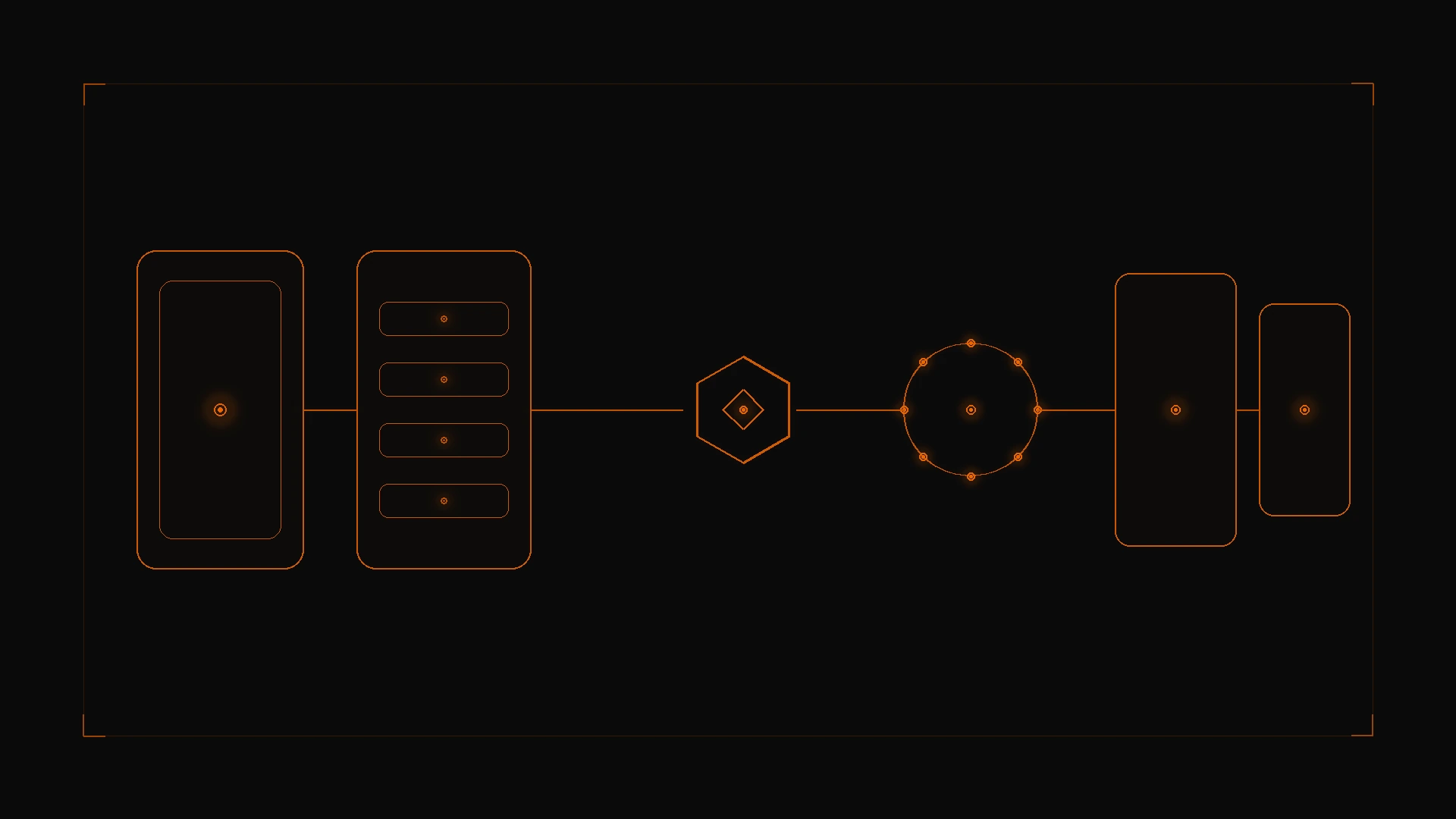
圖 1:靜幀先被暫存,再一次性提交到 ToAPIs generations 閘道,輪詢到終態後由你的服務發出成片。
多數 400 錯誤可以靠這些提交前檢查避免:
- 使用帳戶已啟用的精確模型 ID(
minimax-h3、minimax-h3-max或minimax-h3-max-turbo,不要自造別名)。 - 時長為整數:基礎 H3 為 4–15 秒,Max 家族為 5–15 秒。
first_frame_image和last_frame_image都是最多一張圖的列表。- 同一請求中不要同時發送
reference_images、reference_videos或reference_audio。 - 目前前端在幀模式下會把
ratio強制為adaptive。讓靜幀形狀貼近目標畫布(例如寬螢幕用 1920×1080,直式用 1080×1920),以減少意外裁切。 - 約定欄位名是
ratio,不是aspect_ratio。
幀模式下仍然可以使用運鏡提示詞;詳見 運鏡提示詞指南。請把括號標籤當作提示詞助手,而不是原生命令。
3. 生產級實作:cURL 與 Python
步驟 1:cURL 首幀請求
bash
curl -X POST "https://api.toapis.com/v1/videos/generations" \
  -H "Authorization: Bearer $TOAPIS_API_KEY" \
  -H "Content-Type: application/json" \
  -d '{
    "model": "minimax-h3",
    "prompt": "[Dolly Forward] Rain falling onto neon asphalt, steam rising from grates, cinematic reflections",
    "duration": 6,
    "ratio": "16:9",
    "first_frame_image": ["https://example.com/starting-frame.jpg"]
  }'
請把佔位 URL 換成文檔上傳流程返回的素材標識或 URL。已發布的 H3 約定把 first_frame_image 寫成陣列,而不是單一字串。
若還要引導尾幀,在同一幀模式請求中加入 "last_frame_image": ["https://example.com/ending-frame.jpg"]。這是標準幀模式,不是 Turbo 獨有的實驗開關。
步驟 2:帶有界輪詢的 Python worker
上線前請將 task_id、status 和 video_url 與帳戶文檔中的回應結構對齊。
python
import os
import time
import requests
from typing import Any

API_KEY = os.environ["TOAPIS_API_KEY"]
BASE_URL = "https://api.toapis.com/v1"
HEADERS = {
    "Authorization": f"Bearer {API_KEY}",
    "Content-Type": "application/json",
}


class MiniMaxR2VPipeline:
    def trigger_r2v(
        self,
        image_ref: str,
        prompt: str,
        duration: int = 6,
        last_frame_ref: str | None = None,
    ) -> str:
        if not 4 <= duration <= 15:
            raise ValueError("Base minimax-h3 accepts integer durations of 4-15 seconds")
        payload: dict[str, Any] = {
            "model": "minimax-h3",
            "prompt": prompt,
            "duration": duration,
            "ratio": "16:9",
            "first_frame_image": [image_ref],
        }
        if last_frame_ref:
            payload["last_frame_image"] = [last_frame_ref]
        res = requests.post(
            f"{BASE_URL}/videos/generations",
            headers=HEADERS,
            json=payload,
            timeout=30,
        )
        res.raise_for_status()
        data = res.json()
        task_id = data.get("task_id") or data.get("id")
        if not task_id:
            raise RuntimeError(f"Unexpected submission envelope: {data}")
        return task_id

    def poll_until_complete(self, task_id: str, max_timeout: int = 180) -> dict[str, Any]:
        start = time.time()
        interval = 3.0
        poll_url = f"{BASE_URL}/videos/tasks/{task_id}"
        while time.time() - start < max_timeout:
            res = requests.get(poll_url, headers=HEADERS, timeout=15)
            res.raise_for_status()
            data = res.json()
            status = data.get("status")
            if status in {"succeeded", "success"}:
                return {
                    "status": "success",
                    "task_id": task_id,
                    "video_url": data.get("video_url"),
                    "elapsed_seconds": round(time.time() - start, 2),
                }
            if status in {"failed", "error"}:
                return {
                    "status": "error",
                    "task_id": task_id,
                    "error": data.get("error", "Generation failed"),
                }
            time.sleep(interval)
            interval = min(interval * 1.1, 6.0)
        return {
            "status": "timeout",
            "task_id": task_id,
            "error": f"Exceeded {max_timeout}s; check task status before retrying",
        }


if __name__ == "__main__":
    pipeline = MiniMaxR2VPipeline()
    # Replace with an uploaded asset identifier or a URL you are authorized to fetch.
    image_ref = "https://example.com/starting-frame.jpg"
    prompt = "[Dolly Forward] Rain falling onto neon asphalt, steam rising from grates, cinematic reflections"
    task_id = pipeline.trigger_r2v(image_ref, prompt)
    print("Task:", task_id)
    print("Result:", pipeline.poll_until_complete(task_id))
超時並不等於已確認失敗。記錄任務標識(不要記錄 API Key 或私有媒體 URL),先查狀態,再決定是否重新提交。
4. 錯誤處理與狀態碼對照
下表中的分類只是排查起點,並不保證與 ToAPIs 的精確錯誤碼一一對應。
| HTTP 狀態碼 | 常見分類 | 建議操作 |
|---|---|---|
400 | 欄位無效、媒體不可達或不受支援,或幀/參考模式混用 | 校驗模型 ID、時長、作為單元素列表的 first_frame_image,並確認未攜帶參考欄位 |
401 | API Key 缺失或無效 | 在 ToAPIs 控制台輪換密鑰 |
429 | 速率或並發限制 | 帶抖動退避,並在本機排隊 |
5xx 或網路超時 | 閘道或上游暫時異常 | 再建立任務前先重讀任務狀態 |
上傳失敗應視為硬停止:沒有有效的素材標識就不要提交生成請求。
5. 定價與 FinOps ROI
- 以有日期的帳戶報價為準。 不要把規劃稿中的每秒單價或 SLA 百分比寫進生產預測。費率和失敗任務是否計費可能因模型和路由而異。
- 官方廠商合約 可能要求承諾或預付門檻。請確認你的 ToAPIs 帳戶是否純按量計費,以及上游失敗如何結算。
- 流水線紀律 才是實際的 FinOps 槓桿:每個鏡頭只提交一次,超時先查狀態再重試,提示詞模板與任務一同保存,並把時長控制在剛好夠用的最短成片。
- 需要 1080P?先確認精確的 canonical
minimax-h3-maxID 是否已啟用。需要 Turbo?使用minimax-h3-max-turbo並省略參考媒體欄位。細節見 選型指南。
6. 常見問題
結構化問答見 frontmatter 中的 FAQ。摘要:讓靜幀貼近目標畫布;尾幀引導是標準幀模式(各最多一張圖);使用文檔中的上傳流程而不是私有路徑;本指南通過輪詢取得狀態,並不假定存在 ToAPIs webhook。
7. 行動清單
- 在 ToAPIs 控制台 領取 API Key。
- 通過文檔中的上傳流程暫存一張靜幀,並用 cURL 首幀請求做冒煙測試。
- 接入帶 180 秒輪詢截止時間的 Python worker,並在超時時禁止重複提交。
- 批次跑任務前,先複習 H3 請求約定 和 運鏡提示詞指南。