
Vidu Q3 API Developer Guide: Ultra-Dynamic Video Generation with Dual Character Consistency
Target models:
viduq3-pro,viduq3-turbo,viduq3
Inference endpoint:https://toapis.com/v1/videos/generations
Related: Vidu Q3 Drama Mode API · HappyHorse 1.1 Video API · Kling v3 Omni multi-shot · Vidu Q3 Video Generation · viduq3 model guide
1. TL;DR & Performance Overview
The schedule title still talks about “Dual Character Consistency.” On the pages checked on 2026-11-26, that outcome is real, but the request shape is not a draft field named Dual Character Lock, character_a, or character_b. The documented contract lives on the Vidu Q3 Video Generation reference (HTTP 200). Soft-404 or missing paths such as /model-guide/vidu-q3 and /docs/en/api-reference/videos/vidu-q3/generation are not this API.
What is documented:
- Three public IDs —
viduq3-pro(high quality; audio-video sync and storyboard generation),viduq3-turbo(fast / best cost-effectiveness; intelligent scene switching), andviduq3(best multi-camera consistency; multi-reference and subjects generation). The draft aliasvidu-q3is not a documented public ID. - Character consistency — use
viduq3withmetadata.subjects(name+images, up to 7 subjects, up to 3 images each) and@namein the prompt. You can also pass up to 7image_urlsfor multi-reference. This is the documented way to lock two or more characters. - Auth and poll —
Authorization: Bearer <API_KEY>.POST /v1/videos/generations, thenGET /v1/videos/generations/{task_id}. Ordinary tasks may also be queried withGET /v1/tasks/{id}. Official examples usehttps://toapis.com(mainland China:https://toapis.cn). Status values arequeued,in_progress,completed, andfailed. Oncompleted, readresult.data[0].url. Videos are retained for 30 days. - Prices — quote model-guide credit rates only as a 2026-11-26 snapshot. Do not reuse planning-draft dollar rates such as
$0.030–$0.038per second. Confirm the live account catalog.
Do not claim unverified marketing such as “UVM,” “no frame shearing,” or undocumented physics guarantees unless an official ToAPIs page states them. This guide does not.
2. Official IDs, Image Rules, and the Documented Subjects Path
Use one of the three public model names in the model field. Do not substitute a hyphenated draft alias.
| Model | Documented use | Image input | Resolution | Duration |
|---|---|---|---|---|
viduq3-pro | High quality text/image/first-last frame; audio-video sync and storyboard generation | Optional, up to 2 images | 540p / 720p / 1080p (default 720p) | 1–16s (default 5) |
viduq3-turbo | Fast text/image/first-last frame; intelligent scene switching | Optional, up to 2 images | 540p / 720p / 1080p (default 720p) | 1–16s (default 5) |
viduq3 | Multi-reference / subjects generation; best multi-camera consistency | Required, up to 7 images | 540p / 720p / 1080p (default 720p) | 3–16s (default 5) |
Image-count rules on that page are exact. For viduq3-pro and viduq3-turbo, omit image_urls for text-to-video, pass one image as the first frame, or pass two images as first and last frame. For viduq3, image_urls is required. Use publicly accessible HTTP(S) URLs. Do not pass base64 in image_urls; upload local files with the Upload Image API first.
prompt is required and is capped at 5000 characters. When you use subjects, reference them via @name in the prompt. audio defaults to true on all three Q3 models; when it is true, the system generates speech and sound effects based on the prompt. audio_type is all (default), speech_only, or sound-effect_only. Other documented fields include aspect_ratio (common values 16:9, 9:16, 1:1; Q3 models support any aspect ratio, and a reference image usually determines the output ratio), seed, metadata, auto_subjects (default false), voice_id, off_peak, payload, and callback_url.
off_peak: true consumes fewer credits. The official page says off-peak tasks are generated within 48 hours; incomplete tasks are auto-cancelled with credits refunded. Q3 models support off-peak when audio=true.
Subjects mode is viduq3 only
This is the documented equivalent of the draft “dual character” idea. The generation page lists subjects as a request field for viduq3 only. The official Subjects Mode example places the array under metadata.subjects. Each item has name and images. Up to 7 subjects and up to 3 images per subject. The prompt references them as @cat and @dog (or whatever names you chose). The same example still sends image_urls (a background in the official snippet) plus audio: true and metadata.audio_type: "all".
There is no documented characters: [{ id: "character_a", ... }] body. If a planning draft used those names, rewrite the request to viduq3 + metadata.subjects + @name.
Live model-guide pages that are real (not “Model Guide Not Found”) include viduq3, viduq3-pro, and viduq3-turbo. The viduq3 guide’s playground preview on 2026-11-26 listed duration 3–16s and resolution 720p / 1080p, and described a broader capability set than the generation reference. When the two pages disagree, this article follows the generation reference: viduq3 requires image_urls, and all three IDs document 540p as well as 720p and 1080p.
A separate Vidu Q3 (Multi-Model) reference documents a different public ID set (viduq3-pro-fast, viduq3-ad, viduq3-drama, viduq3-mix). That contract is covered in the Drama Mode guide. Do not send viduq3-drama on the assumption that it accepts the same body as viduq3-pro.
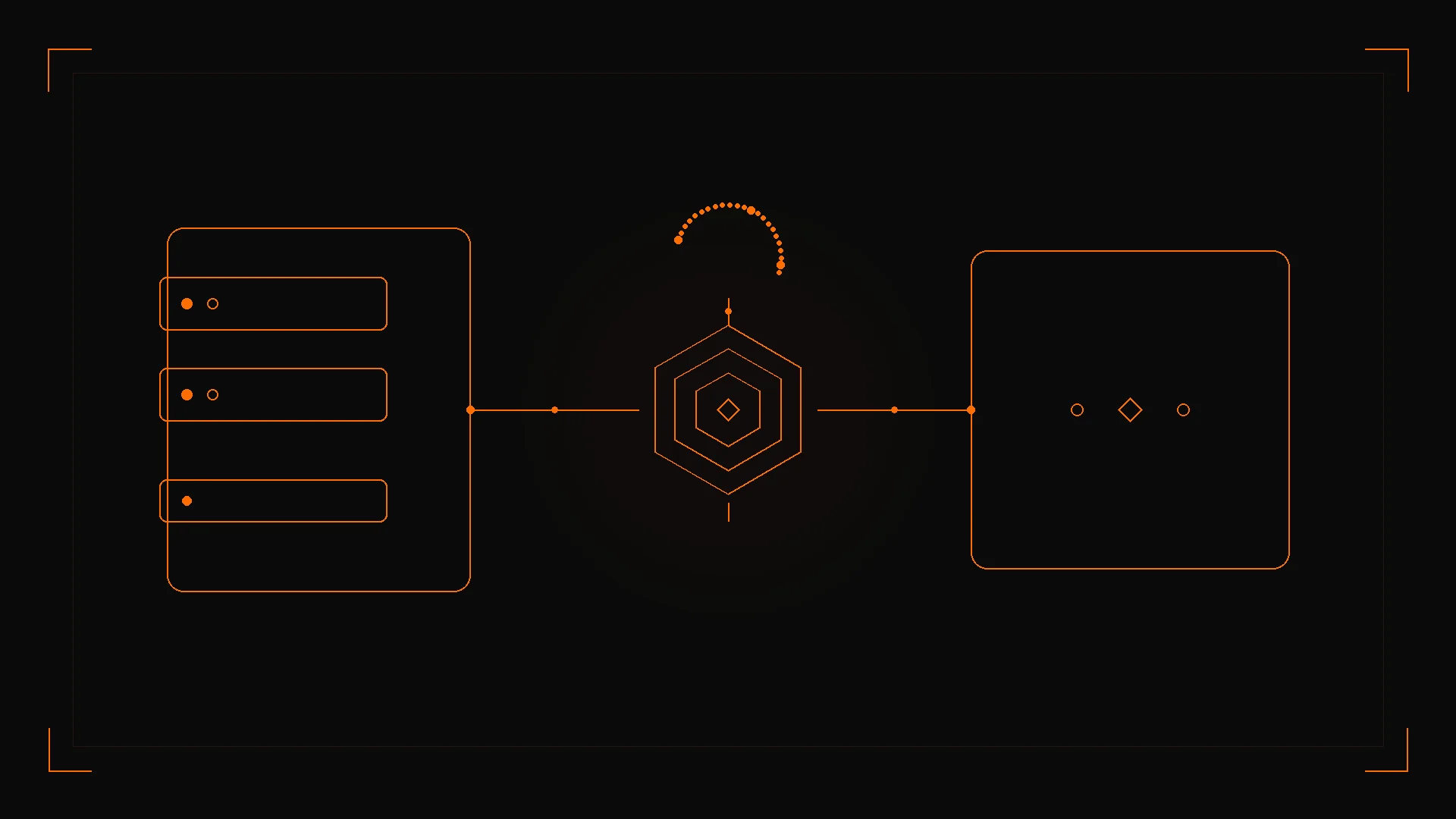
Figure 1: Submit a documented viduq3 subjects request, poll GET /v1/videos/generations/{task_id} until completed, then read result.data[0].url.
3. Production Implementation: cURL & Python
Official examples use https://toapis.com. Mainland China should use https://toapis.cn. Pick one origin and keep it consistent. Persist the returned task id before you start polling.
Step 1: cURL for viduq3-pro text-to-video
curl --request POST \
  --url 'https://toapis.com/v1/videos/generations' \
  --header 'Authorization: Bearer <token>' \
  --header 'Content-Type: application/json' \
  --data '{
    "model": "viduq3-pro",
    "prompt": "A cat playing piano, camera slowly zooms in, cinematic quality",
    "duration": 8,
    "resolution": "1080p",
    "aspect_ratio": "16:9",
    "audio": true
  }'
First-last frame uses the same ID with two image_urls. Turbo is the same body with "model": "viduq3-turbo" when you want the faster tier.
Step 2: cURL for viduq3 subjects mode (two characters)
curl --request POST \
  --url 'https://toapis.com/v1/videos/generations' \
  --header 'Authorization: Bearer <token>' \
  --header 'Content-Type: application/json' \
  --data '{
    "model": "viduq3",
    "prompt": "@cat and @dog are running in the park, sunny day",
    "image_urls": [
      "https://example.com/park-bg.jpg"
    ],
    "duration": 8,
    "resolution": "720p",
    "audio": true,
    "metadata": {
      "subjects": [
        {"name": "cat", "images": ["https://example.com/cat.jpg"]},
        {"name": "dog", "images": ["https://example.com/dog.jpg"]}
      ],
      "audio_type": "all"
    }
  }'
Replace the example URLs with assets you have already uploaded. The @cat / @dog tokens must match the name values.
Step 3: Python with a bounded poller
import os
import time
import random
import requests

BASE = "https://toapis.com"  # mainland China: https://toapis.cn
HEADERS = {
    "Authorization": f"Bearer {os.environ['TOAPIS_API_KEY']}",
    "Content-Type": "application/json",
}


def submit_subjects_clip(prompt: str, image_urls: list[str], subjects: list[dict]) -> str:
    response = requests.post(
        f"{BASE}/v1/videos/generations",
        headers=HEADERS,
        json={
            "model": "viduq3",
            "prompt": prompt,
            "image_urls": image_urls,
            "duration": 8,
            "resolution": "720p",
            "audio": True,
            "metadata": {"subjects": subjects, "audio_type": "all"},
        },
        timeout=30,
    )
    response.raise_for_status()
    return response.json()["id"]


def poll_video_task(task_id: str, max_wait: int = 600, interval: int = 10) -> dict:
    """Poll until completed or failed, honoring Retry-After on 429."""
    time.sleep(5)
    start = time.time()
    current = interval
    while time.time() - start < max_wait:
        response = requests.get(
            f"{BASE}/v1/videos/generations/{task_id}",
            headers=HEADERS,
            timeout=30,
        )
        if response.status_code == 429:
            retry_after = int(response.headers.get("Retry-After", current))
            time.sleep(retry_after + random.uniform(0, 1))
            current = min(current * 2, 60)
            continue
        response.raise_for_status()
        data = response.json()
        status = data.get("status")
        if status == "completed":
            return data
        if status == "failed":
            raise RuntimeError(data.get("error") or data)
        time.sleep(current + random.uniform(0, 1))
    raise TimeoutError(f"task {task_id} still running after {max_wait}s; query before resubmitting")


if __name__ == "__main__":
    task_id = submit_subjects_clip(
        prompt="@cat and @dog are running in the park, sunny day",
        image_urls=["https://example.com/park-bg.jpg"],
        subjects=[
            {"name": "cat", "images": ["https://example.com/cat.jpg"]},
            {"name": "dog", "images": ["https://example.com/dog.jpg"]},
        ],
    )
    result = poll_video_task(task_id)
    print(result["result"]["data"][0]["url"])
    print("expires_at", result.get("expires_at"))
The official Get Video Task Status page recommends an initial wait of 5 seconds, a 10-second interval, a 600-second ceiling, jitter, and honoring Retry-After on 429. A client timeout is not proof the task failed — query the same id before you submit a duplicate job. Prefer Task Webhooks in production and keep polling as a fallback.
4. Error Handling & Status Matrix
A successful HTTP submit is not a completed video. Always read task status. See the error reference and Get Video Task Status.
| HTTP or task state | Common category | Recommended action |
|---|---|---|
400 | Unknown model (vidu-q3), missing image_urls on viduq3, more than two images on pro/turbo, or an invented character_a field | Send a documented ID; match image-count rules; use metadata.subjects + @name on viduq3 |
401 | Missing or invalid API key | Confirm Authorization: Bearer <API_KEY>. Official Vidu Q3 pages do not document extra OAuth scopes |
429 | Rate or concurrency limit | Honor Retry-After; back off with jitter |
5xx or client timeout | Temporary gateway or upstream issue | Query the existing task id before resubmitting |
status: queued or in_progress | Not an error | Continue polling on GET /v1/videos/generations/{task_id} |
status: failed | Generation did not succeed | Read error.message. Official docs do not state that failed tasks are always unbilled |
5. Pricing & FinOps ROI
The generation page bills Vidu Q3 by model, resolution, and generation type. It states that viduq3-pro is approximately 2× the price of turbo, viduq3-turbo is the fast / best cost-effectiveness tier, and viduq3 is billed at the reference generation rate. There is no official per-resolution USD table on that page.
Live model-guide credits / second snapshots on 2026-11-26:
| Model | Model-guide credit rate (snapshot) | Estimated USD at 1 credit ≈ $0.005 |
|---|---|---|
viduq3-turbo | 8.5714 credits/second | ≈ $0.0429 / second |
viduq3 | 8.5714 credits/second | ≈ $0.0429 / second |
viduq3-pro | 14.2858 credits/second | ≈ $0.0714 / second |
The live /pricing page checked the same day states 1 credit ≈ $0.005 (equivalent to $1 = 200 credits). Actual top-up tiers and credit ratios are shown in the Billing Center. Unauthenticated GET /api/v1/pricing returned 401 on 2026-11-26; use a system access token with the pricing catalog or inspect actual cost on the completed task.
Treat every figure above as a dated snapshot. Do not reuse planning-draft rates such as $0.030–$0.038 per second, a fixed $0.16 per 5-second clip, sub-30-second latency, or a 99.95% SLA — those claims were not on the official pages checked today. off_peak can reduce credit use at the cost of up to 48 hours of delay. Confirm the ID and the live quote with GET /v1/models?type=video and your account catalog before you forecast a batch.
For narrative reference clips that use a different ID set, see Creating Multi-Scene Short Dramas via Vidu Q3 Drama Mode API. For a separate lightweight action-based contract, see HappyHorse 1.1.
6. Frequently Asked Questions
See the FAQ block in frontmatter. Summary: send viduq3-pro, viduq3-turbo, or viduq3, not vidu-q3; put multi-character lock in metadata.subjects with @name; do not omit image_urls on viduq3; poll GET /v1/videos/generations/{task_id} and read result.data[0].url; treat model-guide rates as a 2026-11-26 snapshot.
7. Action Checklist
- Confirm
viduq3-pro,viduq3-turbo, orviduq3appears for your key viaGET /v1/models?type=video— do not sendvidu-q3. - For two or more consistent characters, use
viduq3+metadata.subjects+@name. Do not inventcharacter_a/character_b. - Upload local images first; pass HTTPS URLs only. Match the documented image-count rules for the ID you chose.
- Submit to
POST /v1/videos/generationsonhttps://toapis.com(orhttps://toapis.cnin mainland China). - Poll
GET /v1/videos/generations/{task_id}with a bounded timeout; readresult.data[0].urlonly aftercompleted. Download beforeexpires_at(30-day retention). - Quote prices only from the live account catalog. Treat the 2026-11-26 credit rates in this article as a snapshot.
- Next: Vidu Q3 Drama Mode for narrative reference generation, or HappyHorse 1.1 for the action-based contract.