







Alibaba Wan 3.0 비디오 API: 차세대 비디오 생성 시작하기
대상 모델:
wan3.0-video(선택 자매 ID:wan3.0-video-prime)
추론 엔드포인트:https://api.toapis.com/v1/videos/generations
관련 글: Wan 3.0 Prime 대 Wan 2.6 Flash · Kling Video O1 장편 연속성 · Wan 3.0 레퍼런스 · wan3.0-video 모델 가이드 · wan3.0-video-prime 모델 가이드
1. TL;DR 및 성능 개요
- 먼저 카탈로그를 확인하세요: 기획 초안은 가끔
wan-3-prime이라고 씁니다. 이 문자열은 문서화된 공개 ID가 아닙니다. 2026-11-20에 공식 Wan 3.0 생성 레퍼런스(HTTP 200)를 확인한 결과wan3.0-video와wan3.0-video-prime이 나와 있었습니다. 두 모델은 그 페이지의 같은 All-in-One API를 사용합니다. 별도의 Prime 전용 문서 경로는 없었습니다. - 계약:
POST /v1/videos/generations에 비동기로 제출한 뒤GET /v1/videos/generations/{id}를completed또는failed까지 폴링합니다. 일반 작업은GET /v1/tasks/{id}로도 조회할 수 있습니다. 공식 예시는https://toapis.com(중국 본토는https://toapis.cn)입니다. 이 시리즈의 다른 가이드는https://api.toapis.com을 사용합니다. 오리진을 하나 정해 일관되게 쓰세요. - 한 스키마 위의 여러 방식: 텍스트-투-비디오, 첫 프레임 또는 첫·끝 프레임 제어, 참조 이미지·비디오·오디오 결합 생성, 단일 파일 또는 공개 웹 페이지, 참조 클립 기반 편집 또는 연장입니다. 첫·끝 프레임 모드와 참조 자산 모드는 상호 배타적입니다.
- 미디어: 공개
http://또는https://URL만 보내세요. 로컬 파일은 먼저 업로드하고 반환 URL을 사용하세요. base64나 로컬 경로는 보내지 마세요.prompt와 미디어 자산 중 적어도 하나가 필요합니다. - 버려야 할 미검증 주장: 5초당
$0.150같은 초안 단가는 현재 ToAPIs 문서가 아닙니다. 계정에서 실시간 요금과 채널 지원을 확인하세요.
2. 공식 Wan 3.0 ID, 파라미터, 조합 규칙
model 필드에는 두 공개 모델 이름 중 하나를 쓰세요. 초안 별칭으로 바꾸거나 Prime 모드 플래그를 만들지 마세요.
| 카탈로그 ID | 이 가이드에서의 역할 | 문서화된 작업 |
|---|---|---|
wan3.0-video | 기본 / 표준 All-in-One ID | 텍스트-투-비디오, 첫·끝 프레임, 멀티모달 참조, 파일 또는 링크, 편집과 연장 |
wan3.0-video-prime | 같은 스키마의 Prime 자매 ID | wan3.0-video와 같은 요청 구조. 카탈로그에 있고 Prime SKU를 의도할 때만 선택 |
wan2.6 | 관련 이전 Wan ID. Wan 2.6 생성 레퍼런스 참고 | 텍스트-투-비디오, 이미지-투-비디오, 참조 비디오. 파라미터 맵이 다름(480p 없음, 길이는 5/10/15) |
핵심 요청 필드(두 Wan 3.0 ID가 공유):
| 필드 | 문서화된 값 | 참고 |
|---|---|---|
prompt | 문자열 | 내용, 동작, 카메라, 소리. prompt와 미디어 자산 중 적어도 하나 필요. 배열 순서로 “image 1”, “video 1”, “audio 1”이라고 참조 |
duration | 2–30 정수, 또는 -1 | 기본값 5. -1은 스마트 길이로 모델이 길이를 정함 |
ratio | adaptive(기본값), 16:9, 9:16, 1:1, 4:3, 3:4 | aspect_ratio는 호환 별칭. 둘 다 넣지 말 것 |
resolution | 480p, 720p, 1080p(기본값 1080p) | 이 계약에서는 세 단계가 모두 문서화됨 |
audio | 불리언, 기본값 true | 기본으로 오디오 켜짐 |
watermark | 불리언, 기본값 false | 기본으로 꺼짐 |
prompt_extend | 불리언, 기본값 true | LLM 재작성은 짧은 프롬프트를 개선하고 지연도 늘림. 원문을 쓰려면 false |
seed | 선택 정수 | 같은 파라미터와 시드로 비슷한 결과를 재현하기 쉬움 |
image_with_roles | {url, role} 배열 | role은 first_frame 또는 last_frame. 각 최대 1개. last_frame에는 first_frame 필요 |
reference_images | 최대 10개의 공개 이미지 URL | 첫·끝 프레임과 섞을 수 없음 |
video_list | 최대 5개, 총 길이 ≤15초 | 각 항목은 {"video_url": "..."} |
audio_with_roles | 최대 5개, 총 ≤15초 | 각 항목은 {url, role: "reference_audio"} |
metadata.media | file 하나 또는 link 하나 | {type, url}. 파일과 링크는 함께 쓸 수 없고 첫·끝 프레임 모드와도 섞을 수 없음 |
disable_nsfw | 불리언, 기본값 true | 업스트림으로 전달되지 않는 ToAPIs 플랫폼 파라미터. 명시적 JSON false만 계정과 판매 지역 조건이 맞을 때 폴백을 켭니다. 중국 본토는 항상 비활성 |
공식 표의 자산 조합 규칙:
| 요청 내용 | 지원 여부 | 참고 |
|---|---|---|
| 프롬프트만 | 예 | 텍스트-투-비디오 |
| 첫 프레임만 | 예 | 첫 프레임 제어 |
| 첫 프레임과 끝 프레임 | 예 | 끝 프레임은 단독으로 쓸 수 없음 |
| 참조 이미지와 참조 비디오 | 예 | 참조 오디오와도 조합 가능 |
| 첫 프레임과 참조 비디오 | 아니오 | 첫·끝 프레임 모드와 참조 자산 모드는 상호 배타 |
| 파일과 웹 링크 | 아니오 | 상호 배타 |
“Wan 3.0 cannot mix first/last frames with reference assets/files/web pages in the same request.”와 같은 메시지가 오면 두 계열 중 하나를 제거하고 다시 제출하세요.
비디오 편집은 별도 엔드포인트가 아니라 프롬프트로 분류되는 경로입니다. 편집 의도(예: “edit the video”, “remove”, “replace”)를 넣고 참조 클립을 전달하세요. 이런 작업은 ratio가 adaptive, duration이 -1이어야 하고 입력은 4–30초여야 합니다. 연장은 “extend” 또는 “continue” 같은 표현을 쓰고 duration을 -1 또는 소스 길이+연장(합계 ≤ 30초)으로 둡니다.
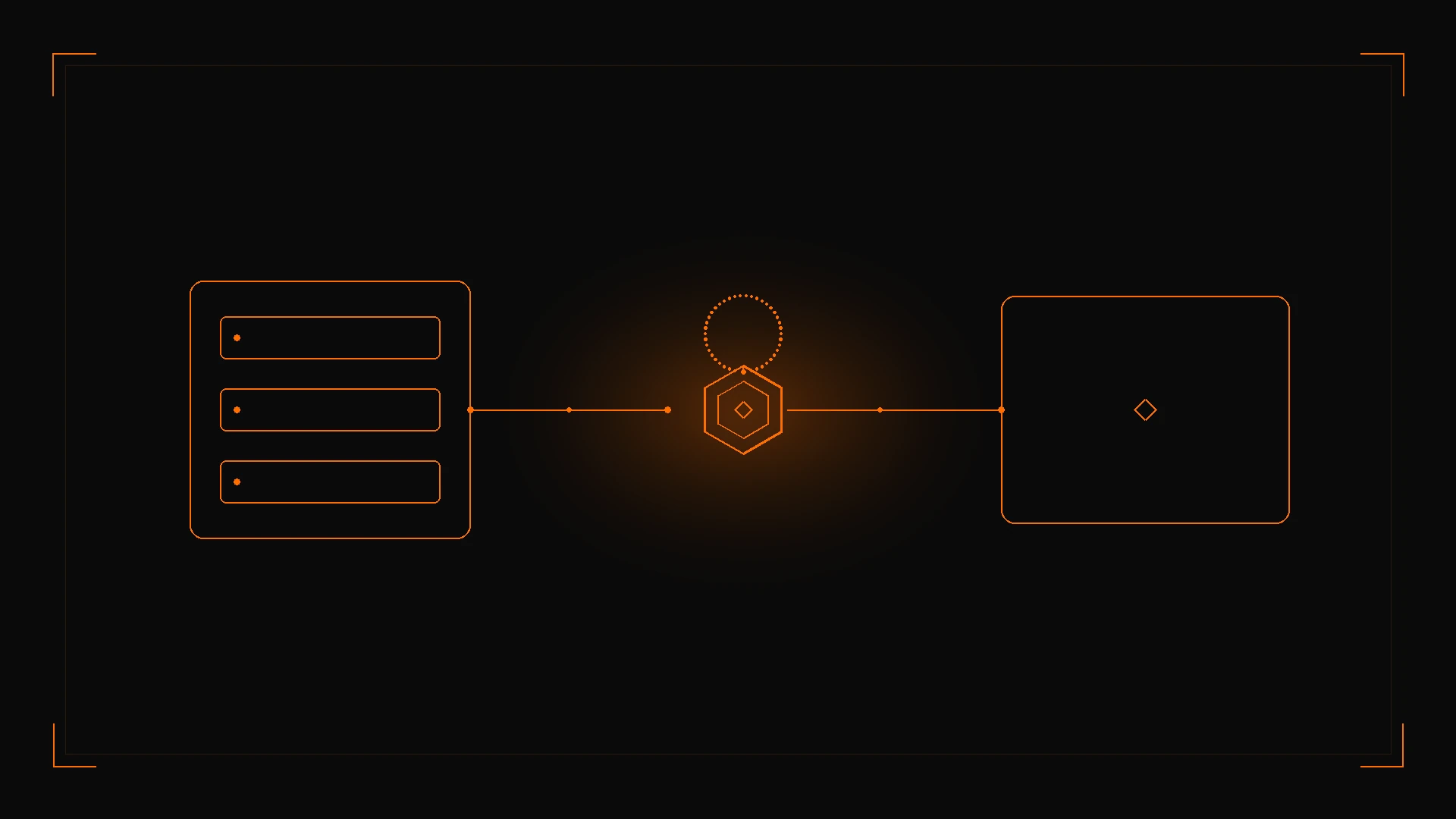
그림 1: 문서화된 Wan 3.0 페이로드를 POST /v1/videos/generations에 제출하고, 같은 작업 id를 폴링한 뒤 status가 completed일 때만 result.data[0].url을 읽습니다.
Wan 2.6 Flash와의 능력·비용 비교는 Wan 3.0 Prime 대 Wan 2.6 Flash를 보세요. 다른 제품군에서 3–10초 창의 장편 연속성은 Kling Video O1 가이드입니다.
3. 프로덕션 구현: cURL과 Python
이 시리즈의 국제 예시는 https://api.toapis.com을 사용합니다. 공식 문서는 중국 본토 사용자에게 https://toapis.cn을 지정합니다. 환경마다 오리진은 하나만 유지하세요.
1단계: 텍스트-투-비디오를 cURL로 제출
curl --request POST \
  --url https://api.toapis.com/v1/videos/generations \
  --header "Authorization: Bearer $TOAPIS_API_KEY" \
  --header "Content-Type: application/json" \
  --data '{
    "model": "wan3.0-video",
    "prompt": "An orange cat running through the streets of Tokyo after rain, cinematic camera work",
    "duration": 5,
    "ratio": "16:9",
    "resolution": "1080p",
    "audio": true,
    "watermark": false
  }'
첫·끝 프레임 요청은 image_with_roles를 사용하고 참조 미디어, 파일, 링크를 포함하면 안 됩니다.
curl --request POST \
  --url https://api.toapis.com/v1/videos/generations \
  --header "Authorization: Bearer $TOAPIS_API_KEY" \
  --header "Content-Type: application/json" \
  --data '{
    "model": "wan3.0-video",
    "prompt": "The camera pushes in naturally as the person transitions from standing to smiling and waving",
    "duration": 8,
    "ratio": "adaptive",
    "resolution": "1080p",
    "image_with_roles": [
      {"url": "https://example.com/first-frame.png", "role": "first_frame"},
      {"url": "https://example.com/last-frame.png", "role": "last_frame"}
    ]
  }'
2단계: Python 헬퍼와 폴러
아래 스니펫은 문서화된 작업 상태 경로와 queued / in_progress / completed / failed를 따릅니다. 배포 전에 계정용 API 레퍼런스에서 id, result.data[0].url, 응답 엔벨로프를 확인하세요.
import os
import time
import requests

API_KEY = os.environ["TOAPIS_API_KEY"]
BASE = "https://api.toapis.com"
ENDPOINT = f"{BASE}/v1/videos/generations"
HEADERS = {
    "Authorization": f"Bearer {API_KEY}",
    "Content-Type": "application/json",
}

DOCUMENTED_IDS = {"wan3.0-video", "wan3.0-video-prime"}
RATIOS = {"adaptive", "16:9", "9:16", "1:1", "4:3", "3:4"}
RESOLUTIONS = {"480p", "720p", "1080p"}


def dispatch_wan30(
    prompt: str | None = None,
    *,
    model: str = "wan3.0-video",
    duration: int = 5,
    ratio: str = "16:9",
    resolution: str = "1080p",
    audio: bool = True,
    watermark: bool = False,
    prompt_extend: bool | None = None,
    image_with_roles: list[dict] | None = None,
    reference_images: list[str] | None = None,
    video_list: list[dict] | None = None,
    audio_with_roles: list[dict] | None = None,
    media: list[dict] | None = None,
) -> str:
    if model not in DOCUMENTED_IDS:
        raise ValueError("Send wan3.0-video or wan3.0-video-prime; wan-3-prime is not a documented public ID")
    if duration != -1 and duration not in range(2, 31):
        raise ValueError("duration must be 2–30 or -1")
    if ratio not in RATIOS:
        raise ValueError("unsupported ratio")
    if resolution not in RESOLUTIONS:
        raise ValueError("resolution must be 480p, 720p, or 1080p")
    roles = [item.get("role") for item in (image_with_roles or [])]
    if "last_frame" in roles and "first_frame" not in roles:
        raise ValueError("last_frame requires first_frame")
    has_frames = bool(image_with_roles)
    has_refs = any([reference_images, video_list, audio_with_roles, media])
    if has_frames and has_refs:
        raise ValueError("first/last-frame mode cannot mix with reference assets, files, or links")
    if media and len(media) > 1:
        raise ValueError("a single request accepts at most one file or one web page")
    if media and len({item.get("type") for item in media}) > 1:
        raise ValueError("file and link cannot be used together")
    if not prompt and not has_frames and not has_refs:
        raise ValueError("provide a prompt or at least one media asset")
    if reference_images and len(reference_images) > 10:
        raise ValueError("reference_images is documented as at most 10")
    if video_list and len(video_list) > 5:
        raise ValueError("video_list is documented as at most 5 clips")
    if audio_with_roles and len(audio_with_roles) > 5:
        raise ValueError("audio_with_roles is documented as at most 5 clips")
    payload: dict = {
        "model": model,
        "duration": duration,
        "ratio": ratio,
        "resolution": resolution,
        "audio": audio,
        "watermark": watermark,
    }
    if prompt:
        payload["prompt"] = prompt
    if prompt_extend is not None:
        payload["prompt_extend"] = prompt_extend
    if image_with_roles:
        payload["image_with_roles"] = image_with_roles
    if reference_images:
        payload["reference_images"] = reference_images
    if video_list:
        payload["video_list"] = video_list
    if audio_with_roles:
        payload["audio_with_roles"] = audio_with_roles
    if media:
        payload["metadata"] = {"media": media}
    res = requests.post(ENDPOINT, headers=HEADERS, json=payload, timeout=30)
    res.raise_for_status()
    data = res.json()
    task_id = data.get("id") or data.get("task_id")
    if not task_id:
        raise RuntimeError(f"Unexpected submission envelope: {data}")
    return task_id


def poll_task(task_id: str, deadline_s: int = 900) -> str:
    poll_url = f"{BASE}/v1/videos/generations/{task_id}"
    interval = 10.0
    start = time.time()
    time.sleep(5)
    while time.time() - start < deadline_s:
        poll = requests.get(poll_url, headers=HEADERS, timeout=15)
        if poll.status_code == 429:
            retry_after = poll.headers.get("Retry-After")
            time.sleep(float(retry_after) if retry_after else min(interval * 2, 120))
            continue
        poll.raise_for_status()
        data = poll.json()
        status = data.get("status")
        if status == "completed":
            return data["result"]["data"][0]["url"]
        if status == "failed":
            raise RuntimeError(f"Generation failed: {data.get('error')}")
        time.sleep(interval)
        interval = min(interval * 1.5, 30.0)
    raise TimeoutError(f"Task {task_id} exceeded {deadline_s}s; check status before retrying")


if __name__ == "__main__":
    task_id = dispatch_wan30(
        "An orange cat running through the streets of Tokyo after rain, cinematic camera work",
        duration=5,
        ratio="16:9",
        resolution="1080p",
    )
    print("Task:", task_id)
    print("Video:", poll_task(task_id))
파라미터 변경과 문구 변경을 구분할 수 있도록 프롬프트 템플릿 버전을 작업 기록 옆에 저장하세요. expires_at 전에 다운로드하세요. 상태 레퍼런스는 30일 보관 기간을 문서화합니다. prompt_extend(기본값)를 켜면 짧은 프롬프트에서 지연이 더해질 수 있습니다. 공식 페이지는 이를 정성적으로만 설명하며 실측 지연을 공개하지 않습니다.
4. 오류 처리 및 상태 매트릭스
아래 표는 진단 출발점이며 ToAPIs 오류 코드와 정확히 대응한다고 보장하지 않습니다. HTTP 조회가 성공해도 작업 status를 읽어야 합니다. 요청 오류와 status: failed 사유(content_policy_rejected, insufficient_user_balance, generation_timeout, video_edit_parameters_required 등)는 오류 레퍼런스를 보세요.
| HTTP 또는 작업 상태 | 흔한 범주 | 권장 조치 |
|---|---|---|
400 | 잘못된 필드, 첫·끝 프레임과 참조 자산 혼용, ratio와 aspect_ratio 병행, 또는 파일과 링크 병행 | wan3.0-video 또는 wan3.0-video-prime을 확인하고 배타적인 한쪽을 제거한 뒤 공개 URL만 사용 |
401 | API 키 누락 또는 무효 | ToAPIs 대시보드에서 키를 교체하고 Authorization: Bearer 헤더를 확인 |
429 | 속도 또는 동시성 제한 | Retry-After가 있으면 준수. 지터와 함께 백오프. 안전할 때만 재시도 |
5xx 또는 클라이언트 타임아웃 | 게이트웨이 또는 업스트림 일시 문제 | 다시 제출하기 전에 기존 작업 id를 조회 |
status: queued 또는 in_progress | 오류가 아님 | 기다렸다가 다시 폴링. prompt_extend는 지연을 늘릴 수 있음 |
status: failed이며 video_edit_parameters_required | 편집 제약을 충족하지 않음 | ratio를 adaptive, duration을 -1로 두고 4–30초 소스를 사용 |
status: failed(기타) | 생성이 성공하지 않음 | error.code와 error.message(있으면 error.reason)를 읽으세요. 정책 거부 페이로드를 그대로 재시도하지 마세요 |
5. 가격 및 FinOps
Wan 3.0 생성 레퍼런스는 달러 표나 크레딧 표를 공개하지 않습니다. 2026-11-20에 가져온 모델 가이드는 wan3.0-video의 가격 참고를 26.3 credits / 초, wan3.0-video-prime을 41.14 credits / 초로 보여 주었고, 최종 과금은 현재 계정 견적과 현재 길이·해상도 규칙을 따른다고 밝혔습니다. 이 크레딧 수치는 스냅샷이며 모든 해상도나 모드의 계약이 아닙니다. 크레딧을 직접 통화로 환산하지 말고 기획 초안의 달러 단가도 재사용하지 마세요.
- 중간 길이의
wan3.0-video부터 시작하세요(예: 5초). 프롬프트와 자산 조합이 안정된 뒤에 해상도를 올리거나 Prime으로 전환하세요. - 스마트 길이(
-1)와prompt_extend는 모델이 하는 일을 바꿉니다. 문서화된 능력이며, 고정된 작업 단가나 지연을 가정할 이유는 아닙니다. - 표시 가격은 채널 보장이 아닙니다. 배치를 예측하기 전에
GET /v1/models?type=video와 계정 카탈로그로 ID와 실시간 견적을 확인하세요.
6. 자주 묻는 질문
frontmatter의 FAQ를 보세요. 요약: wan3.0-video 또는 wan3.0-video-prime을 보내고 wan-3-prime은 보내지 마세요. 첫·끝 프레임은 참조 자산과 섞을 수 없습니다. 길이는 2–30초 또는 -1입니다. 편집에는 ratio=adaptive와 duration=-1이 필요합니다. generations 상태 경로를 반드시 폴링하고 작업 id를 저장하세요.
7. 실행 체크리스트
- ToAPIs 개발자 포털에서 키를 만드세요.
-
GET /v1/models?type=video로 키에wan3.0-video(필요하면wan3.0-video-prime도)가 보이는지 확인하세요.wan-3-prime은 보내지 마세요. -
duration: 5,ratio: "16:9",resolution: "1080p"로 cURL 스니펫을 스모크 테스트하세요. - 기한이 있는 상태에서
GET /v1/videos/generations/{id}를 폴링하고expires_at전에 결과를 받으세요. - 다음 단계: 문서화된 능력과 비용 비교는 Wan 3.0 Prime 대 Wan 2.6 Flash, 실시간 카탈로그는 wan3.0-video 모델 가이드.